A datacenter is, above all, a huge electricity consumer. You must bring enough power into the building, pay for it, and survive when the grid goes down. ⚡🔋⛽☀️
¶ 🔌 The power grid

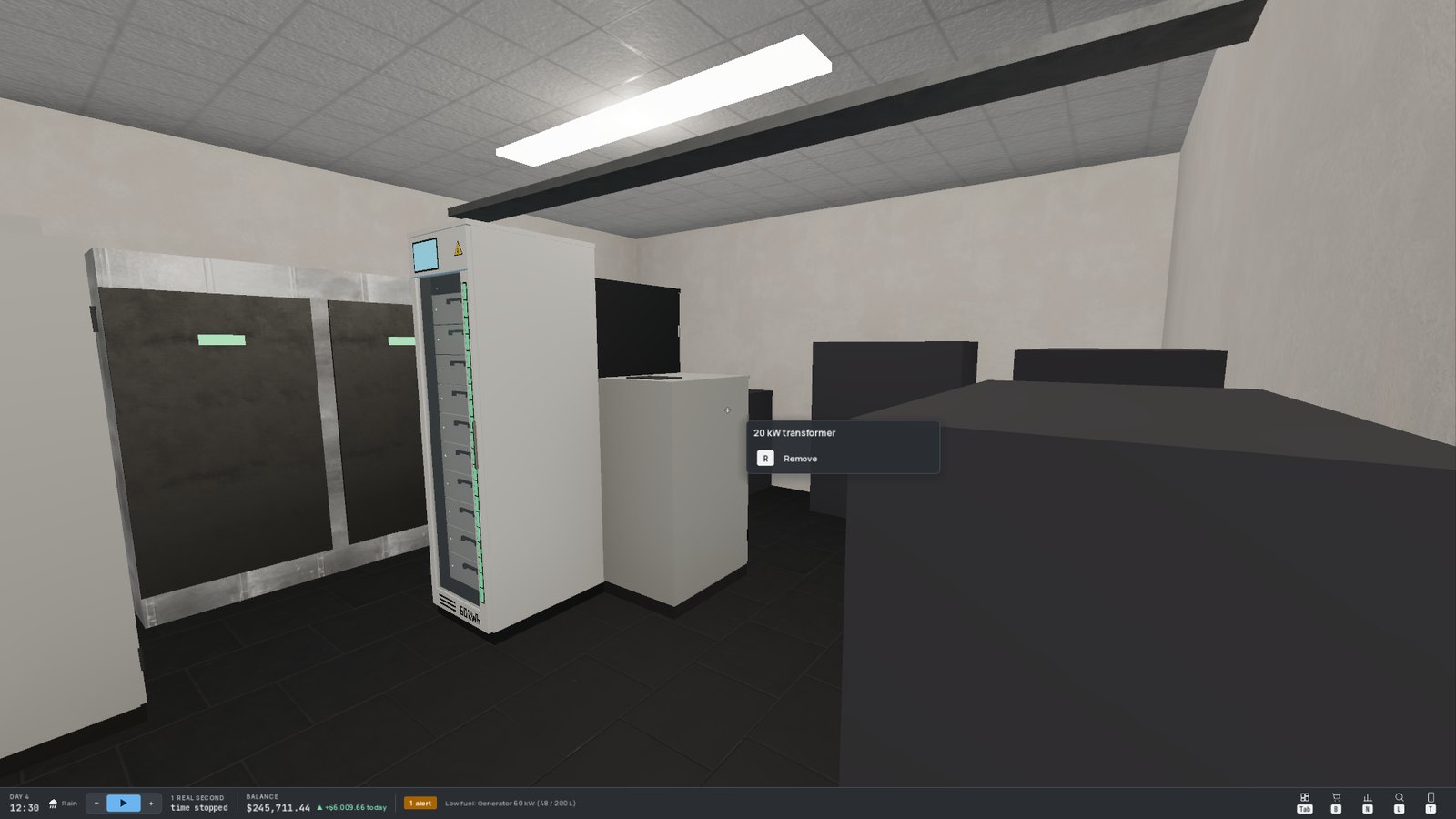
Electricity comes in through the utility power feed, goes through the transformers in the electrical room, then supplies your racks.
- 📏 Available power = the smaller of two totals: what the feed can deliver, and the sum of your transformers. You start with a small starter transformer.
- 📋 Demand = the rated power of every plugged-in device. It's sized for the worst case, not for the current load: an idle server counts as much as a busy one.
- ✂️ Overload: when demand exceeds available power, the grid sheds whole racks, the most recently installed first, until the rest fits. Their equipment switches off (and their customers lose service) until capacity comes back.
¶ 📈 Growing your grid
- Buy transformers (Power section of the shop) and place them in the free slots of the electrical room, like racks. Bigger transformers are cheaper per kW, and each size has its own look, from a small cabinet to a big oil-filled transformer.
- Once the feed is the limit, more transformers add nothing: a second power feed raises that ceiling.
¶ 💵 The electricity market
Every hour, powered equipment is billed for the power it actually draws — servers and cooling.
The price per kWh follows the same pattern every day: cheaper at night (off-peak hours, roughly 22:00 to 07:00), more expensive during the day (peak hours).
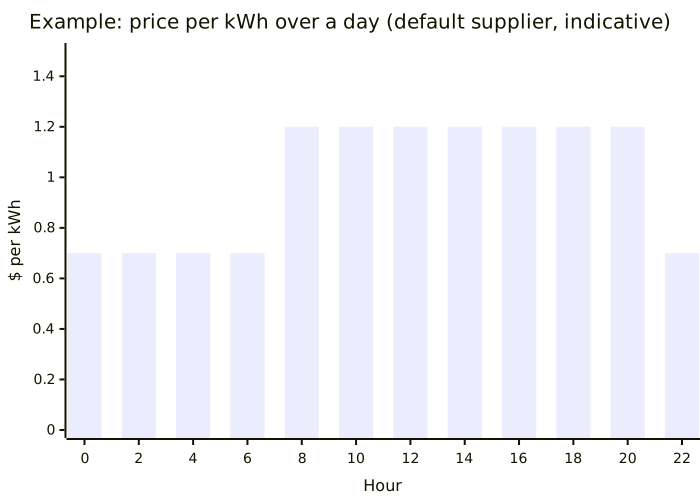
A big migration or computation costs less at night. And a loaded server is more profitable than several half-empty ones: filling your servers pays.
¶ 🏭 Choosing a supplier
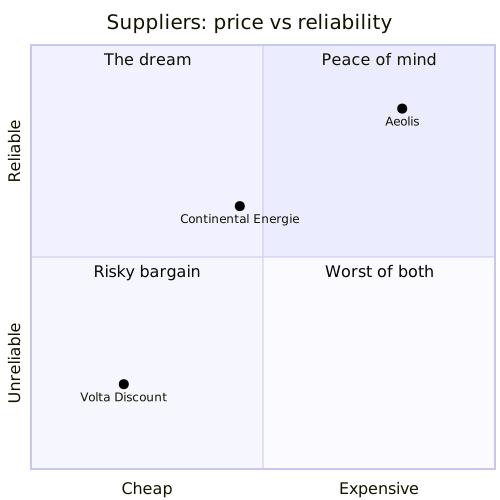
Three suppliers share the market. The cheapest is also the least reliable:
| Supplier | Price | Outages | Profile |
|---|---|---|---|
| 💸 Volta Discount | 💲 | Frequent and long | The bargain… if your backup is solid |
| 🏢 Continental Énergie | 💲💲 | Occasional | The default supplier, a balanced choice |
| 🌱 Aéolis | 💲💲💲 | Rare and short | Green energy, maximum reliability |
Switch supplier from the Electricity view of the console's Infrastructure page: the three offers are side by side, with what each would have cost you over your last 24 hours. Switching is free, but only possible once in a while.
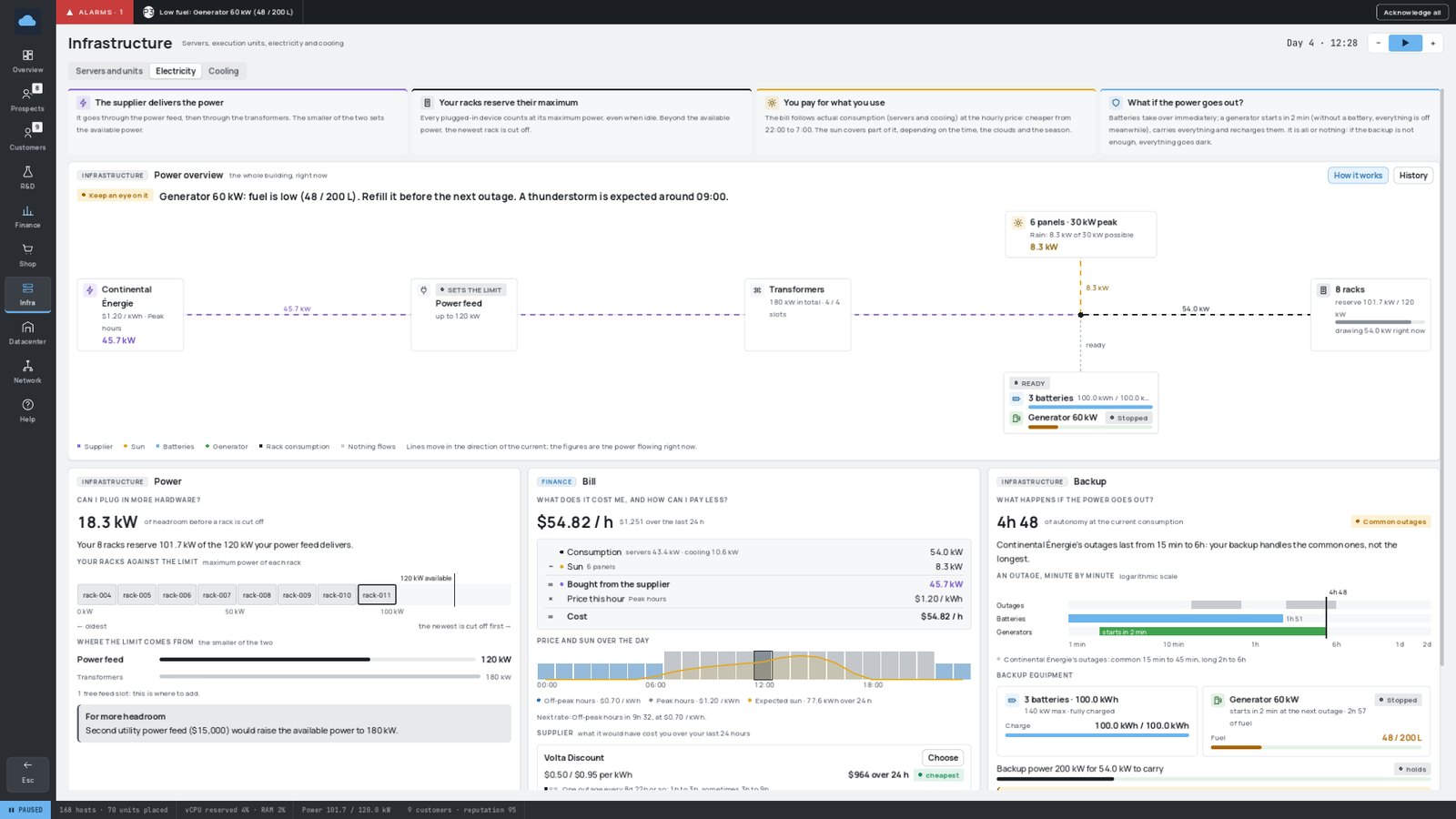
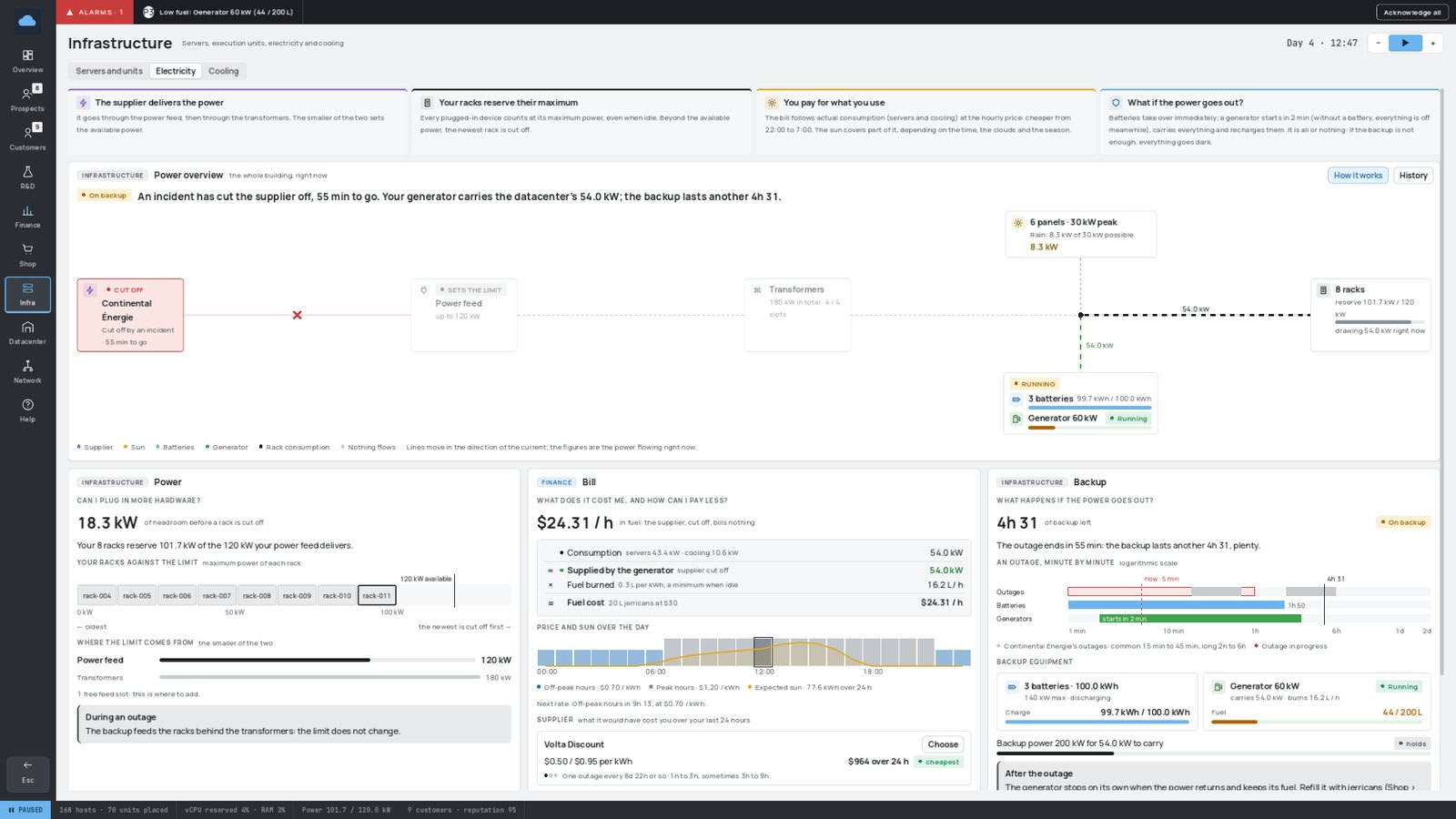
The Electricity view answers three questions, one per column:
| Column | Question |
|---|---|
| ⚡ Power | Can I plug in more hardware? — your headroom before a rack is shed, and what to buy to raise it. |
| 🧾 Bill | What does it cost me, and how can I pay less? — the hourly cost, the price and the expected sun over the day, the suppliers. |
| 🔋 Backup | What happens if the power goes out? — your autonomy, an outage minute by minute, your batteries and generators, the weather forecast. |
¶ 🌩️ Outages
The grid goes down from time to time, at a random moment — less often with a reliable supplier.
- 🕐 Regular outages: from a few minutes to a few hours.
- ⛈️ Long outages: rarer, but much harsher — several hours. Many of them come from storms and only strike during a thunderstorm or a blizzard. Batteries alone can't hold that long.
During an outage, your supplier delivers nothing (and bills nothing). Without backup, everything goes dark: servers and switches stop, and your customers lose their service until the power returns.
On backup power, the building switches to energy-saving mode (dim red lighting). During a total blackout, only the emergency lights stay on, and automatic doors open wide.
¶ 🔋 Batteries
Batteries come in several capacities (Power section of the shop). Like a transformer, a battery arrives in a box and is installed in a free battery slot of the electrical room. A new battery is delivered full.
- They take over instantly when the grid fails, as long as their maximum power and their charge allow it.
- They recharge slowly once the power is back (at the current electricity price).
- The lamps on the cabinet tell whether a battery is charging, discharging or empty; the biggest one also shows its charge on a light gauge.
¶ ⛽ Generators
The generator is the answer to long outages: where batteries only bridge the gap, a generator keeps producing as long as it has fuel.
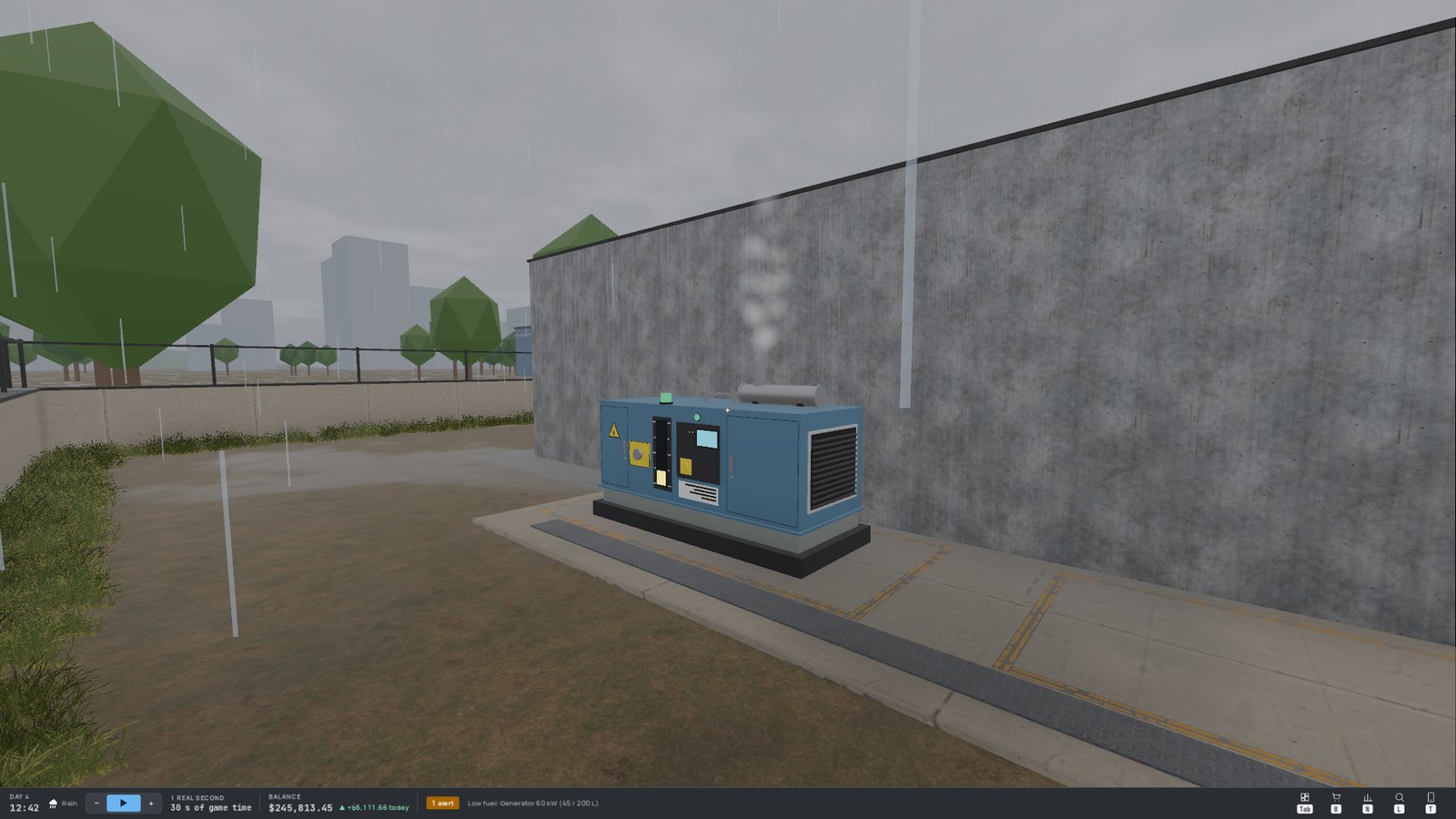
- 📦 Order a generator (two sizes) and install it outside, in the generator yard.
- ⛽ It's delivered empty! Order fuel jerrycans, carry them to the generator and pour them in (E). A jerrycan that doesn't fit entirely keeps the rest.
- 🔍 Look at the generator to read its state and fuel level. Its lamp is grey when stopped, amber while starting, green when running, red when out of fuel. Running, it vibrates, smokes and can be heard from afar.
A generator burns fuel in proportion to the energy it delivers — with a minimum, even when idle. Several generators add up their power and their fuel. An alarm warns you when a tank runs low.
¶ 🔄 What happens during an outage
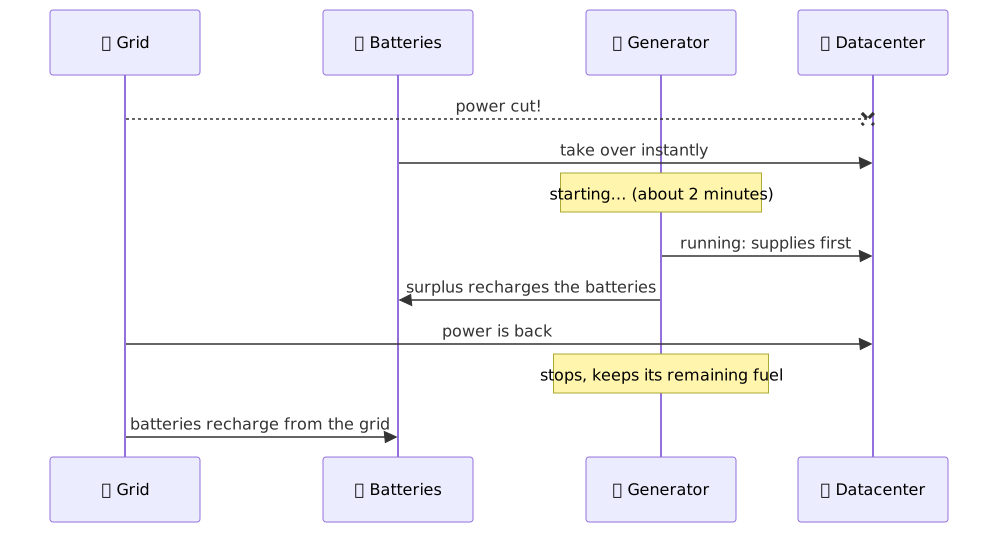
Backup power is all or nothing: it powers the whole datacenter, or nothing at all. If your batteries and generators can't cover the entire consumption (servers and cooling), it's a blackout. After a blackout, power only comes back once running generators can carry the whole load on their own.
The Electricity view shows everything: where the power comes from, the headroom before a rack is shed, the hourly bill, and your backup autonomy at the current consumption.
¶ ☀️ Solar panels
The roof can't be reached on foot: solar panels are bought and installed remotely from the shop (no box, no delivery), up to the number of roof slots.
- A panel produces nothing at night, and the most at noon in full sun. Clouds and rain reduce it, a stormy sky leaves little, and snow covering the panels in winter almost shuts them down.
- Whatever the sun produces is deducted from your bill. Surplus is neither stored nor sold.
- Solar does not raise your available power: never size your grid on sunshine.
¶ 🌦️ Weather and seasons
The weather changes hour by hour: clear, cloudy, overcast, rain, thunderstorm — and in winter, snow and blizzards. A year has four seasons; the game starts in spring. The bottom bar shows the current weather, and the Electricity view gives a forecast for the next hours.
A storm is coming? ⛈️ Make sure your batteries are charged and your generators are full.