Each service you sell becomes an execution unit (a "unit" for short): one VM, one database, one storage bucket… running on one of your servers. This page explains where units go, how much room they take, and how to move them around.
¶ 📦 What a unit needs
A unit reserves resources on its server, depending on its size (S, M, L, XL):
| Resource | Notes |
|---|---|
| 🧠 vCPU | Virtual processors — a server offers two per physical core. |
| 🧮 RAM | Memory. |
| 💾 Disk | Storage space. |
| 🌐 Network | Bandwidth on the server's links. |
| 🎮 GPUs | Only for GPU VMs, only on GPU servers. |
¶ 🎯 Placement
Units are placed automatically, trying to spread them out:
- among the servers where they fit, prefer the one hosting the fewest units of the same customer (so one failure doesn't take a whole customer down);
- then the least loaded server;
- then the oldest one.
Servers that are failed, in maintenance, or that don't accept that kind of product never receive new units. A unit that finds no room at all stays pending and keeps retrying.
¶ 📏 Reservation vs. real consumption
This is the key idea of the whole game:

- A unit reserves its full size, whether it uses it or not.
- Its real consumption goes up and down through the day.
¶ 🎰 Overcommitment
You may sell more CPU and network than you physically have (up to a limit), betting that not everyone needs everything at the same time. RAM, disk and GPUs are never overcommitted.
A server is overcommitted when its reservation exceeds its capacity. It's a choice you make (by forcing a signature, or moving units by hand). It's not a problem in itself…
¶ 💥 Saturation
…until real demand exceeds the server's capacity. Then the server is saturated and all its units are degraded. The Infrastructure page, the red ! of the console rail and the alarm bar all flag saturated servers.
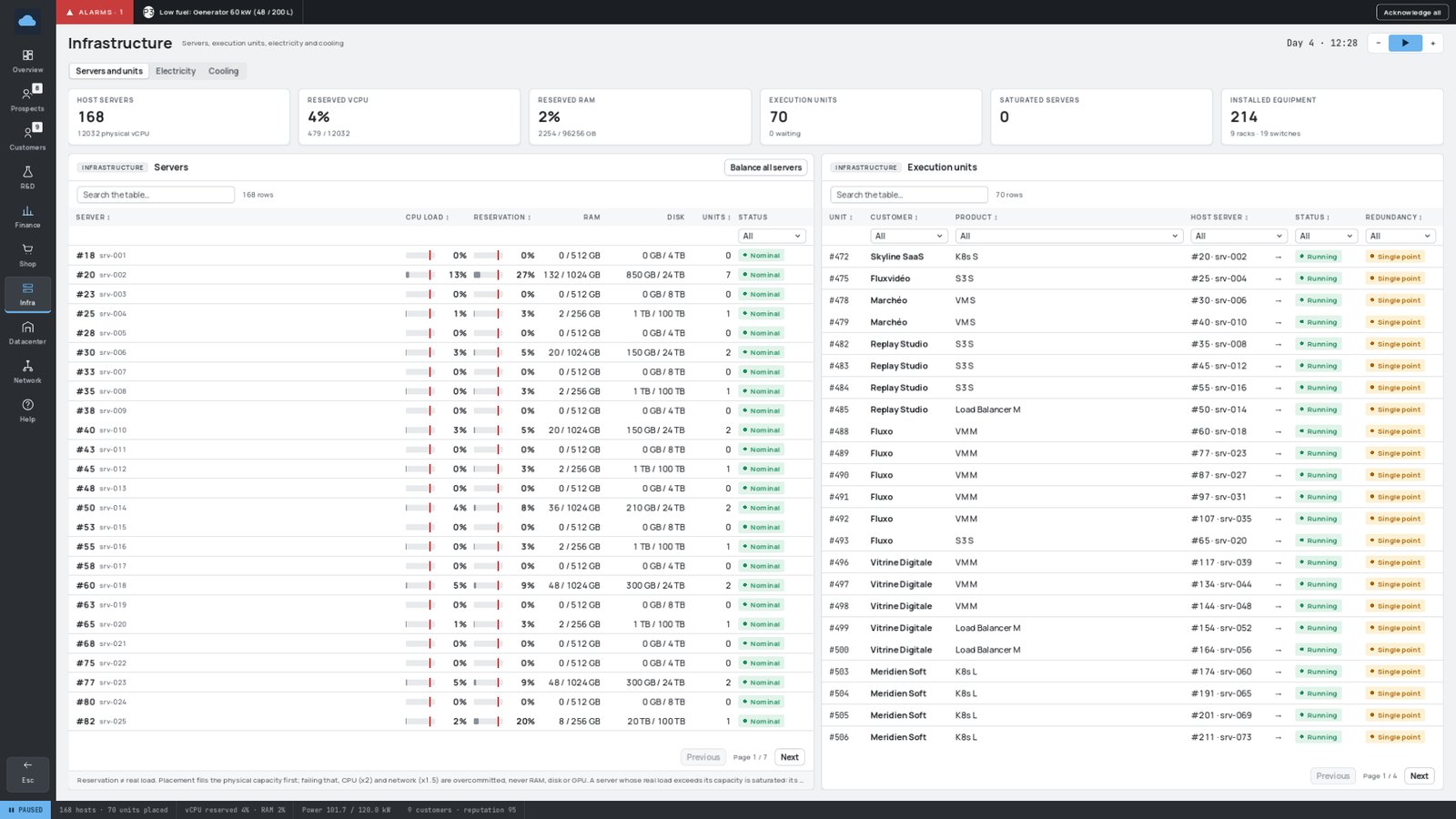
When servers regularly exceed 85 % of real CPU, add one and rebalance. Overcommitment is a tool, not a free lunch.
¶ ⚖️ Spreading the load
| Tool | Where | What it does |
|---|---|---|
| Balance all servers | Infrastructure page | Moves units around to even out the load, removing overcommitment wherever another server has room. |
| Migrate to… | Infrastructure page or management page | Moves one unit to the server of your choice. The window recommends the best target and explains why others would refuse it. |
| Maintenance mode | Server management page | Empties the server onto the others and stops it from receiving units — ideal before unplugging or moving it. |
| Allowed products | Server management page | Reserves a server for certain products (e.g. GPU VMs only on GPU servers). |
Put a brand-new server in maintenance until it's powered and cabled: no unit will get lost on it.
¶ 🚚 Migrations
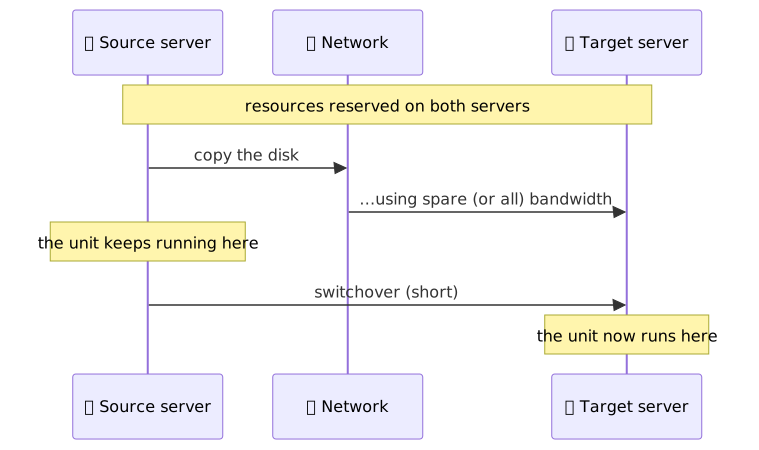
Moving a unit is not instant: its disk is copied over the network from the old server to the new one, followed by a short switchover. The bigger the disk and the busier the path, the longer it takes. Meanwhile, the unit keeps running on its old server, and its resources are reserved on both.
| Priority | Behaviour |
|---|---|
| 🐢 Background (default) | Only uses bandwidth left free. Doesn't disturb anyone, but slows down — or waits — on a busy link. |
| 🚀 Urgent | Claims the whole path. Much faster, but saturates the links: other units on the way may be degraded. |
- A server takes part in one migration at a time; the others wait in a queue.
- Without a network path between the two servers, a migration waits forever: cable your servers before emptying them!
- If the source server fails, its units simply restart elsewhere at once — there's nothing left to copy.
¶ 📈 Autoscaling
VMs and Kubernetes clusters adapt to their load on their own:
- when a customer's instances are busy on average, an extra instance is added — and billed on top of the contract while it runs 💰;
- when the load drops, the extra instance is removed;
- autoscaling only uses free room (never overcommitment) on servers that are on and connected, so it never hurts quality;
- it always gives way to contracted units.
The Customers page shows added instances next to the contracted ones ("+1 auto").
Traffic spikes (a customer's big sale, for instance) multiply load and traffic for a few hours. Autoscaling helps, but a server or a link already close to its limit will saturate: keep some spare capacity.