This page takes you from an empty building to your first paying customer. Allow about ten minutes. ⏱️
In Story Mode, Victor, your investor, walks you through exactly these steps on your phone — and time stays paused while you build. This page is the written version of that first chapter.
¶ 🆕 Creating a new game
From the main menu, click New game and choose:
| Option | What it does |
|---|---|
| Name | Optional: the name of your save. |
| Tutorial | Plays the guided Story Mode. Ticked by default — recommended for your first game. |
| Relaxed mode | Only with the tutorial: missing loan repayments no longer ends the game (see Money and Finances). |
| Difficulty | Only changes your starting capital. Everything else is identical. |
| Difficulty | Starting capital (indicative) | Feeling |
|---|---|---|
| 🟢 Easy | ~$25,000 | Room to experiment and make mistakes |
| 🟡 Normal | ~$15,000 | The minimal kit, a second server and some margin |
| 🔴 Hard | ~$10,000 | The kit and a second server… and then you wait for your first income |
The game starts at 8 in the morning, in front of the building. The entrance door and the garage shutter are closed: look at them and press E to open them.
¶ 🧰 The starter kit
To serve a first customer, you need four things:

…plus a rack to hold them. Everything at the start runs on simple copper network cables (1 Gb/s). Faster connections come later, through Research and Development.
The router is not optional: it is the only device that can talk to the operator uplink. Without it, your servers have no Internet access and your customers are cut off.
¶ 1. 🛒 Go shopping
Open the shop with B and order one of each: a 42U rack, a 1U compute server, an RJ45 switch and an RJ45 router.
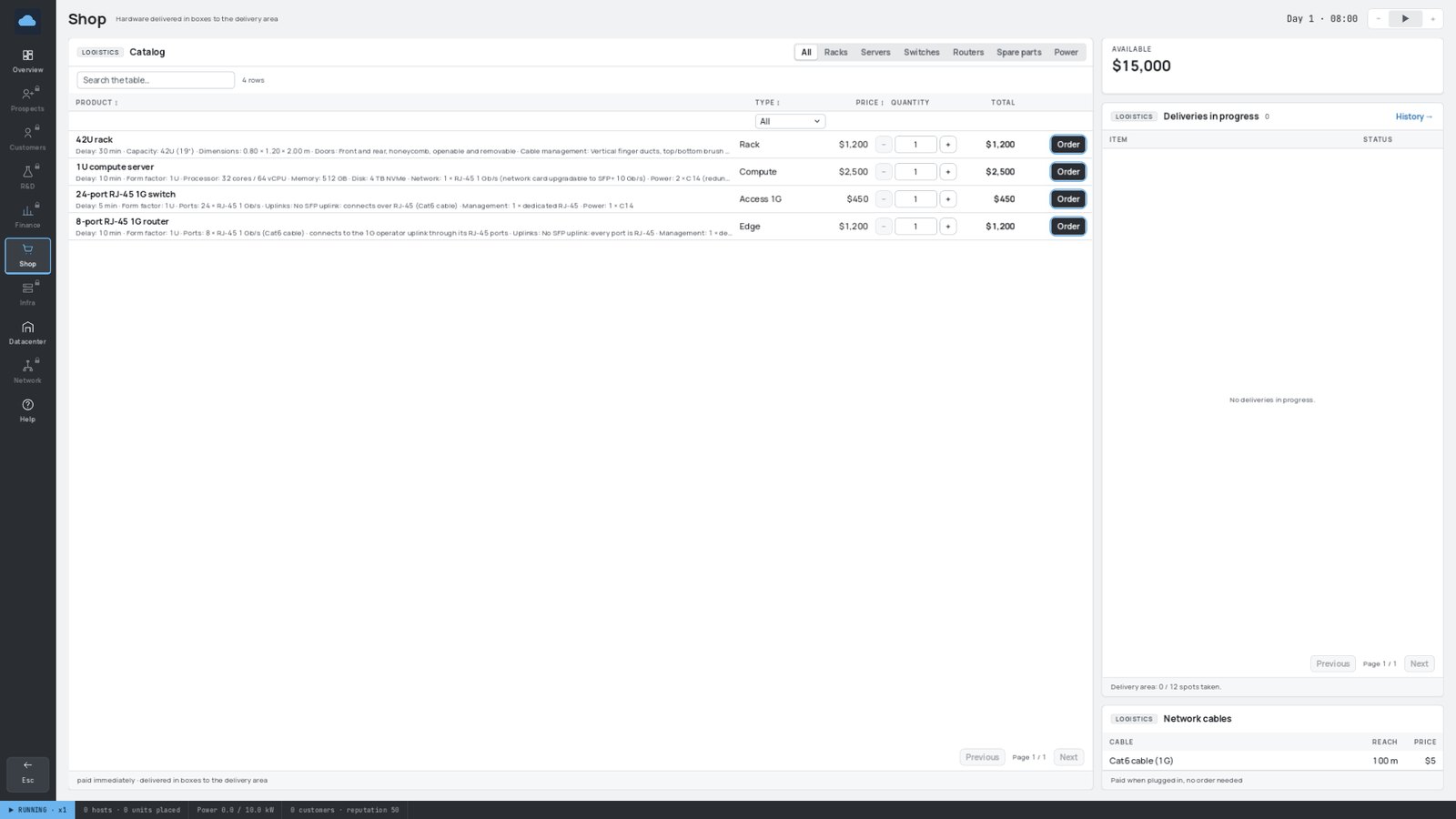
Payment is immediate. Each item has its own delivery time, shown in the shop. The Deliveries in progress panel on the right tracks your orders.
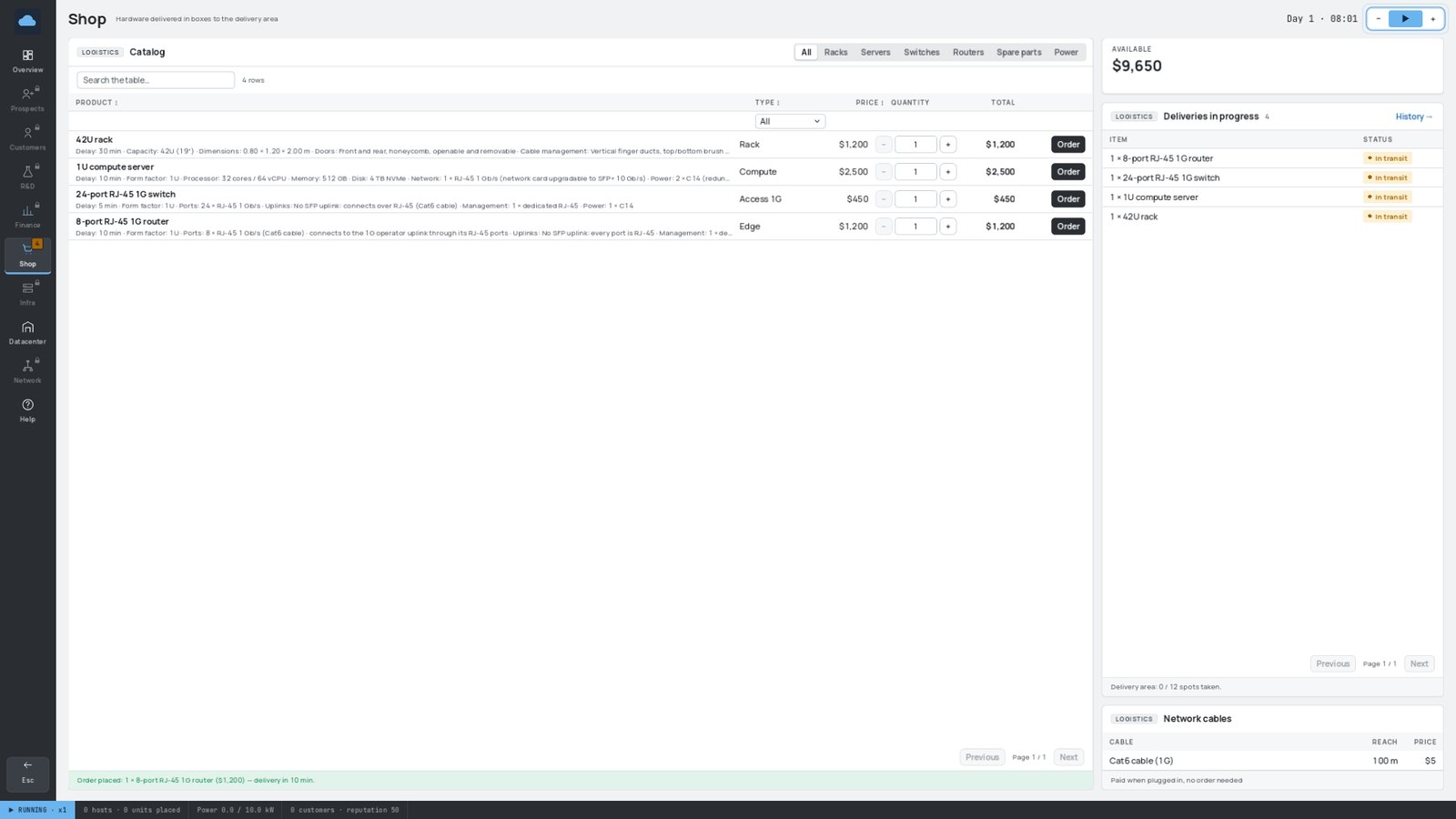
Network cables are never ordered: you pay for each one when you plug it in. Power cords are free.
¶ 2. 📦 Collect the boxes
When the "Delivery arrived" message pops up, walk to the loading dock, next to the entrance hall. Your order is waiting there as cardboard boxes, inside the yellow-striped delivery zone.
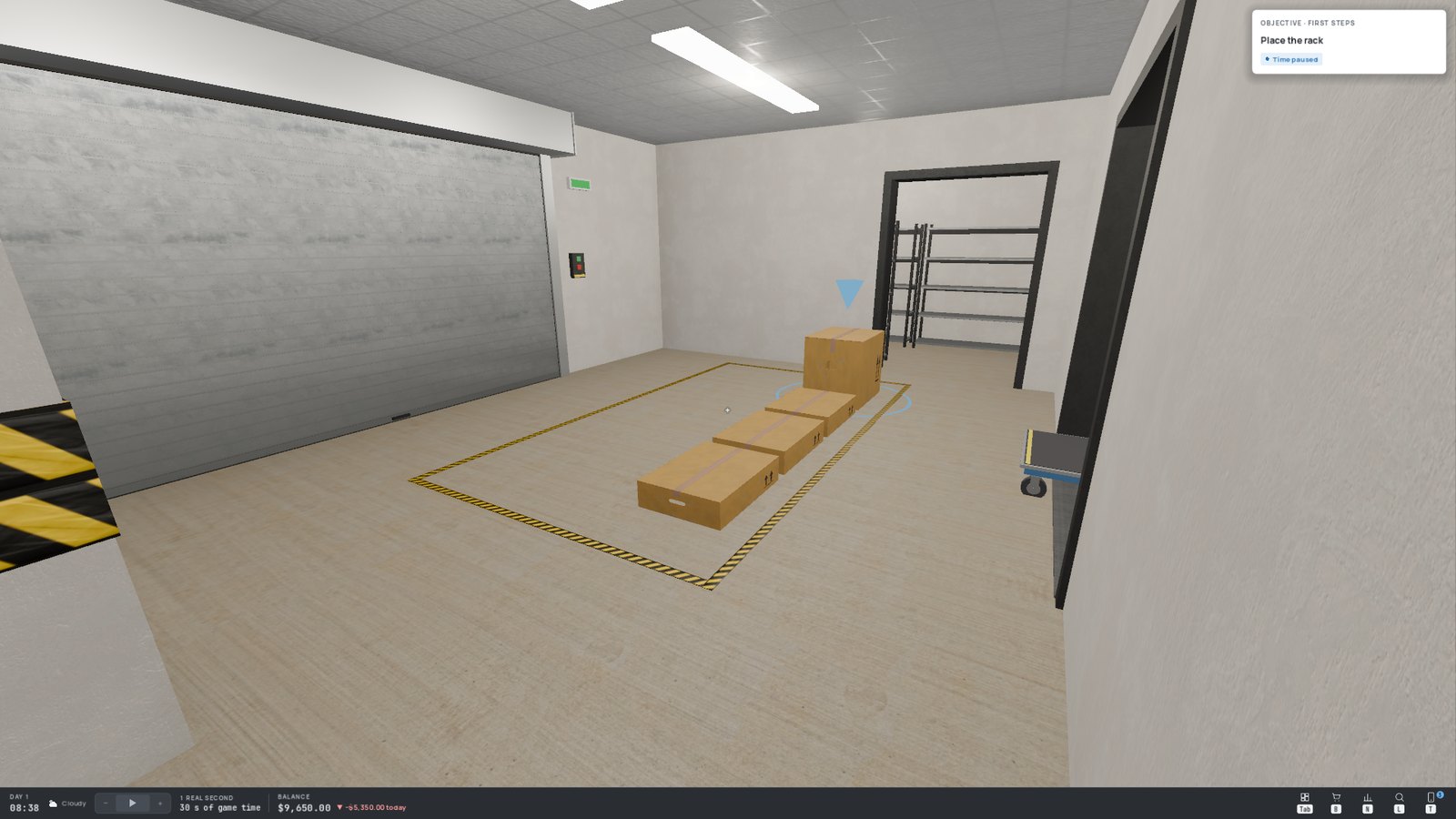
Look at the rack's box and press E to pick it up. You can only carry one box at a time (the cart helps later — see Building Your Datacenter).
¶ 3. 🗄️ Place the rack
Carry the box into the server room and look at a free rack slot (marked on the floor in yellow). A green ghost shows where the rack will stand; red means you can't put it there. Press E.
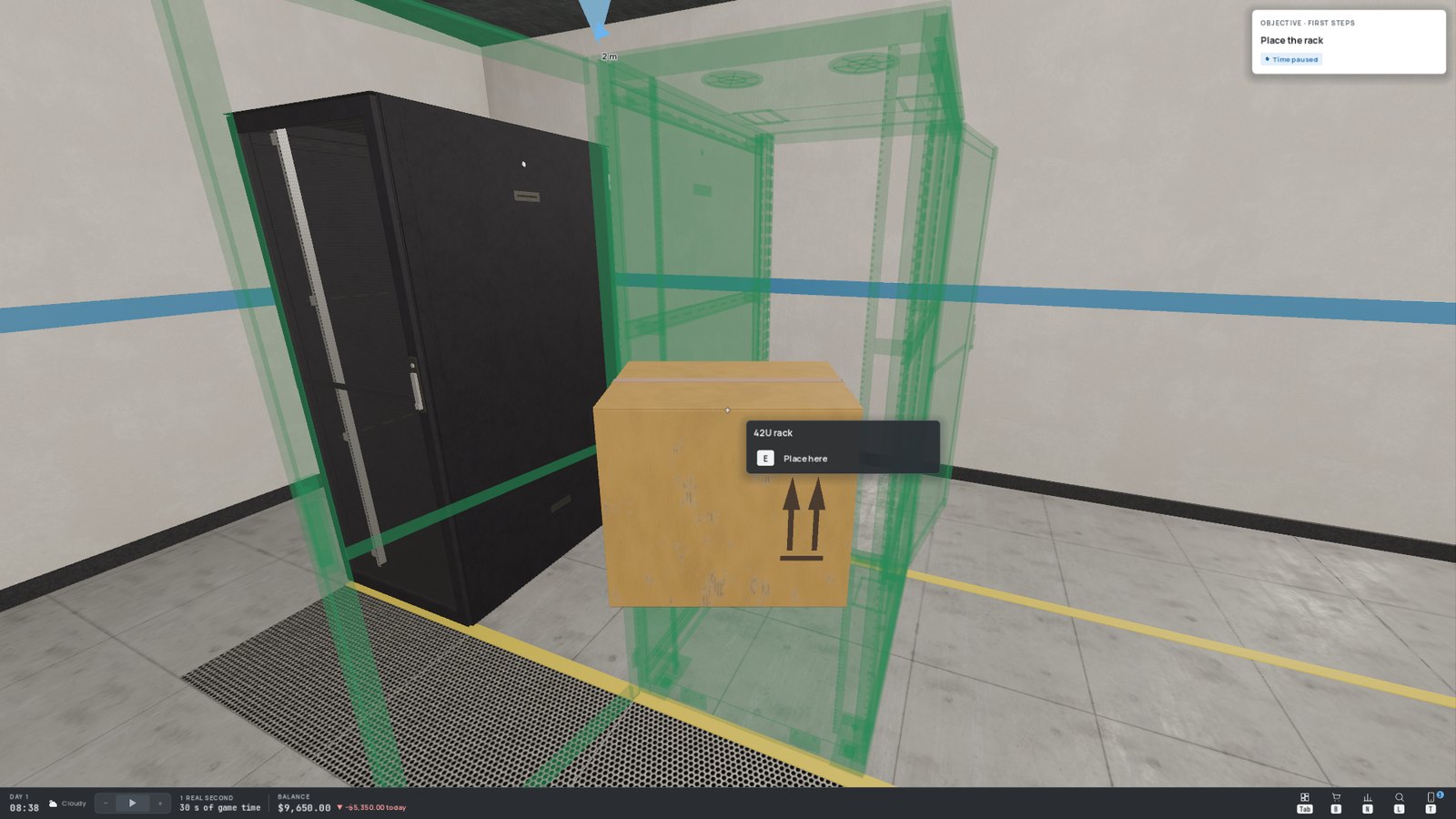
Place your first racks close to the operator rack (the one already in the room, with the Internet uplink). Short cables are cheaper, and some cable types you will unlock later have a short maximum length.
¶ 4. 🖥️ Mount the equipment
Pick up the server's box and look at the rack: a ghost shows the U (rack unit, the height slot) where it will be mounted. Press E.
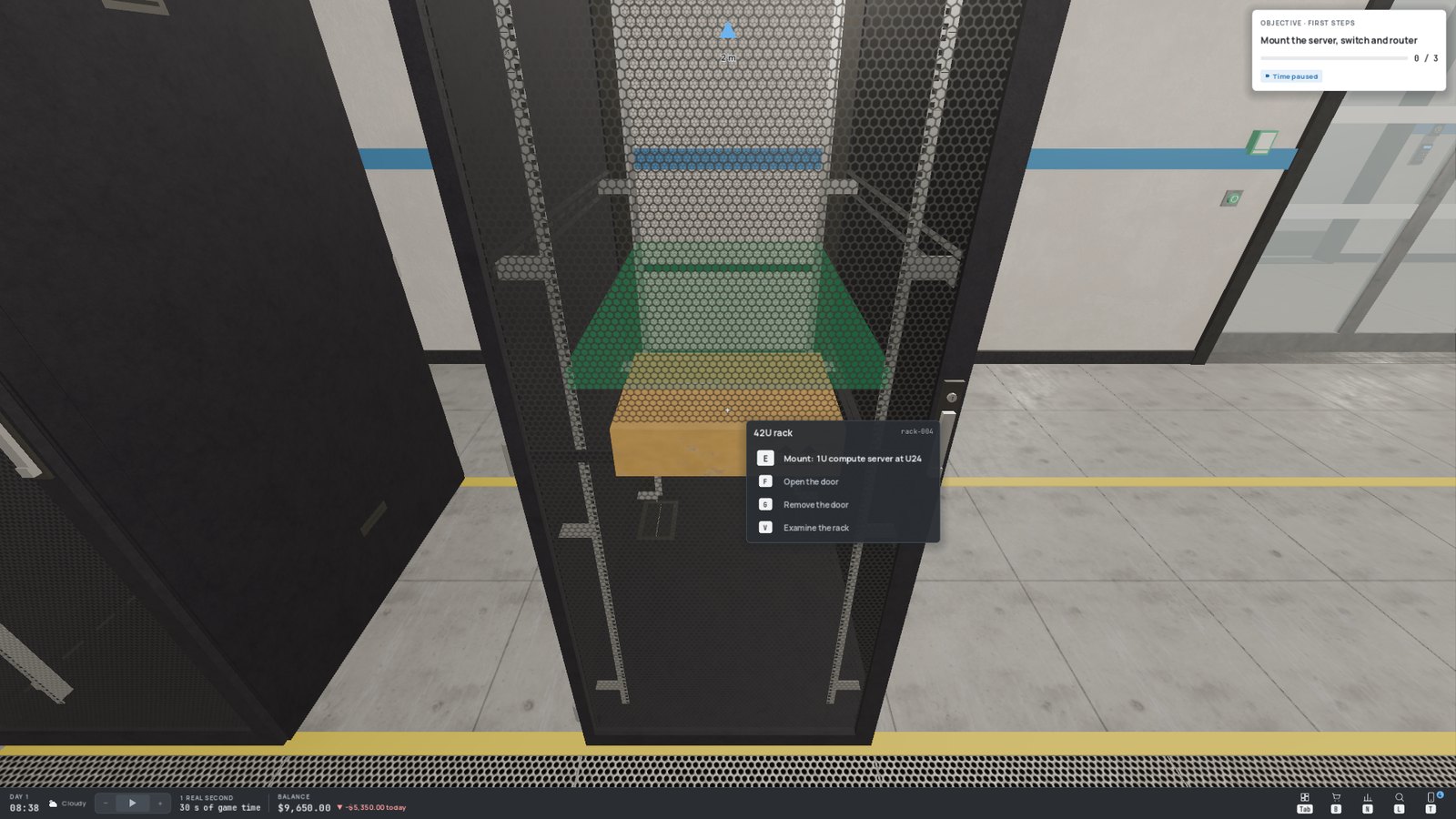
- Servers mount at the front of the rack.
- Switches and routers mount at the back, where the network ports of the servers are.
- The router may also go straight into the operator rack, right next to the uplink.
¶ 5. 🔌 Power everything
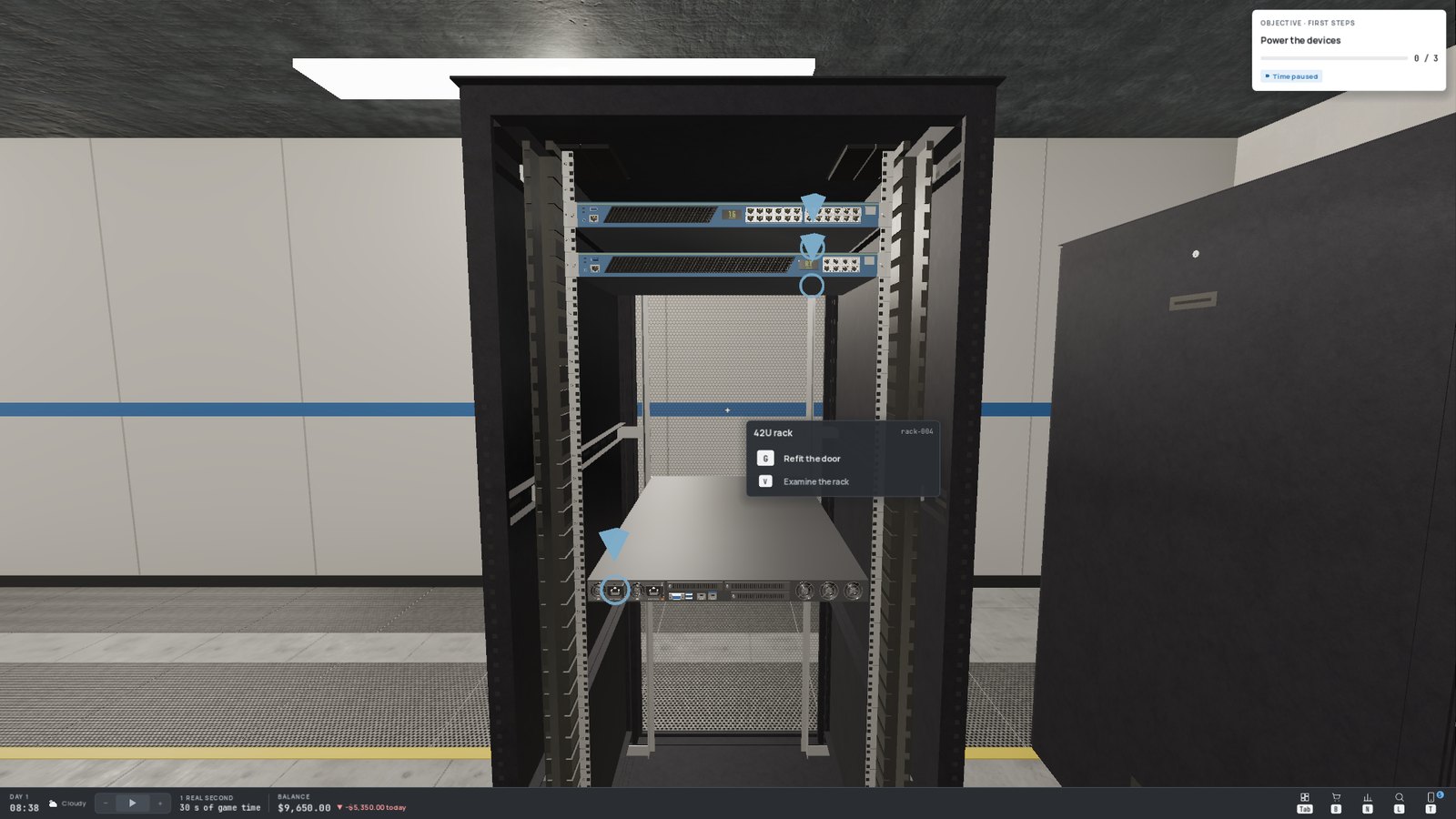
Every device has one or more power sockets. Look at one and hold E: a power cord gets plugged in. One cord is enough per device. Power the server, the switch and the router (the operator uplink is powered by the building).
¶ 6. 🌐 Cable the network
You need an unbroken chain: server → switch → router → operator uplink.
- Hold E on the server's data port: you now hold a cable. A panel at the bottom of the screen shows its type, price and length.
- If you like, hook it onto the rack's cable guides (look at them, E) to give it a tidy path.
- Hold E on a free port of the switch: the cable is plugged in and paid for.
- Do the same from the switch to the router, then from the router to the operator uplink.
To drop the cable you are holding without paying anything, press Q.
The management port of a device (usually set apart from the others) cannot be cabled: it opens the device's management page instead.
¶ 7. ✅ Check your work
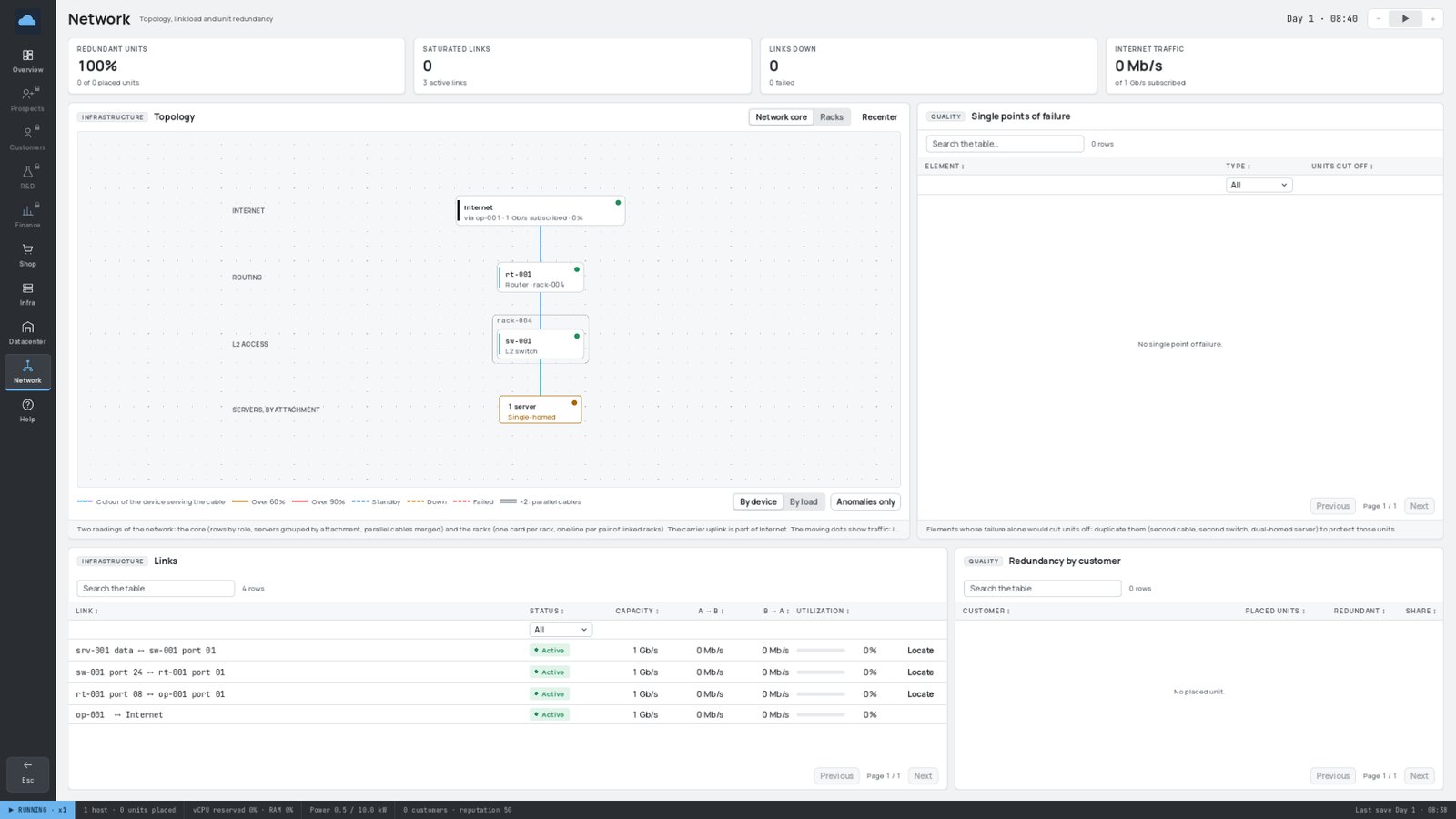
Open the console with Tab and go to the Network page. You should see the Internet, your router, your switch and your server, linked by green, active lines.
¶ 8. 🤝 Sign your first customer
A first prospect has been waiting since the start of the game on the Prospects page. Its Capacity column should read Sufficient. Click Accept!
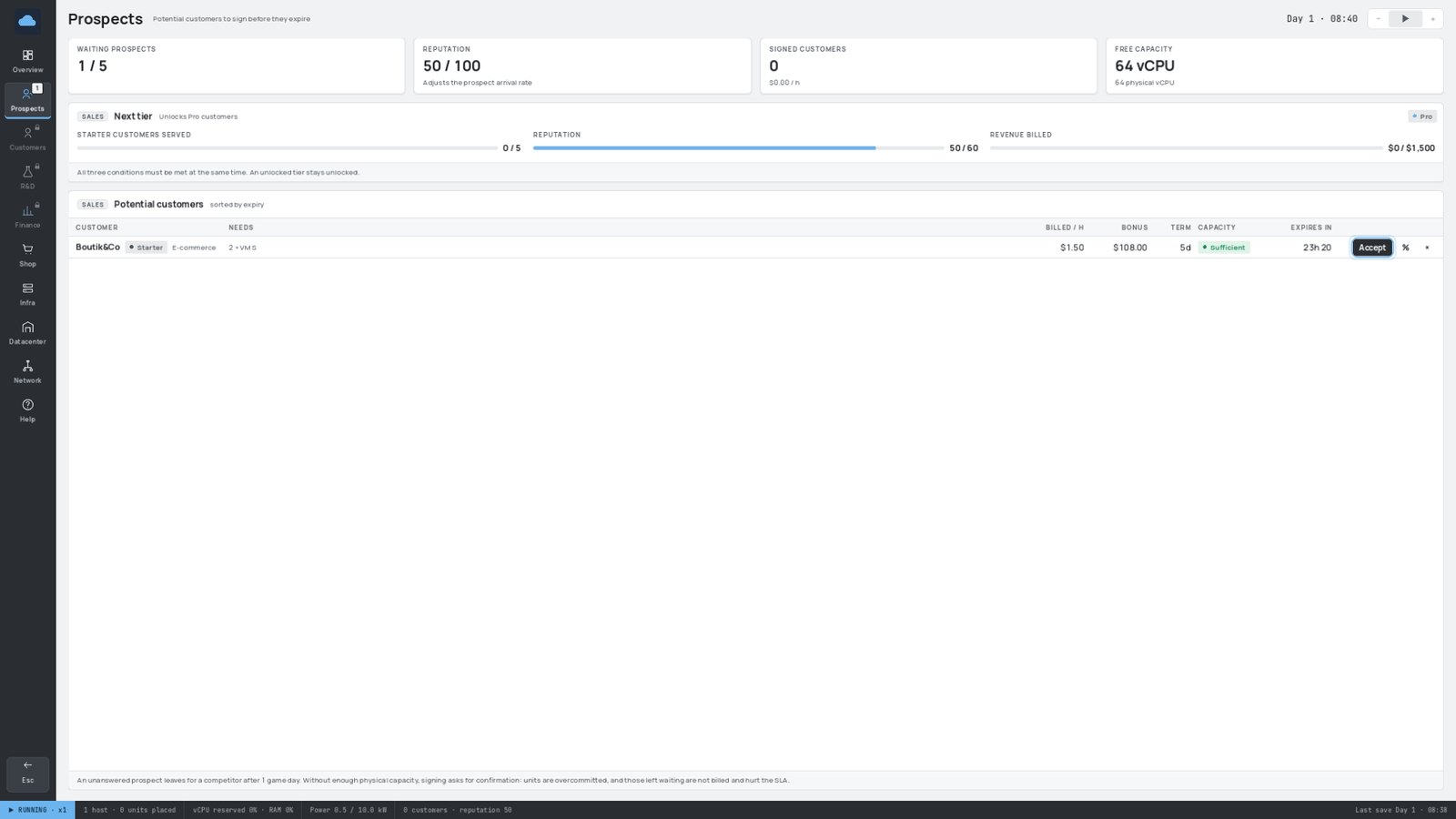
It becomes a customer: its services start on your server and you now earn money every hour. If it stays happy for a day, you also receive its signing bonus. 🎉
Always power and cable a server before signing customers. Services placed on a server that is switched off or disconnected are out of order: they earn nothing and already hurt the customer's satisfaction.
¶ 9. 🔮 What next?
- Sign more prospects while you have room — one small customer doesn't cover your running costs.
- Speed up time (2) when everything is stable, slow it down (1) when things get hot.
- Buy a second server before the first one is full.
- Read Tips and Strategy to grow without going broke.