Everything in your datacenter is physical: you order it, carry it, install it and remove it yourself. This page covers the building, the shop, deliveries, racks and the hardware you put in them.
¶ 🏢 The building
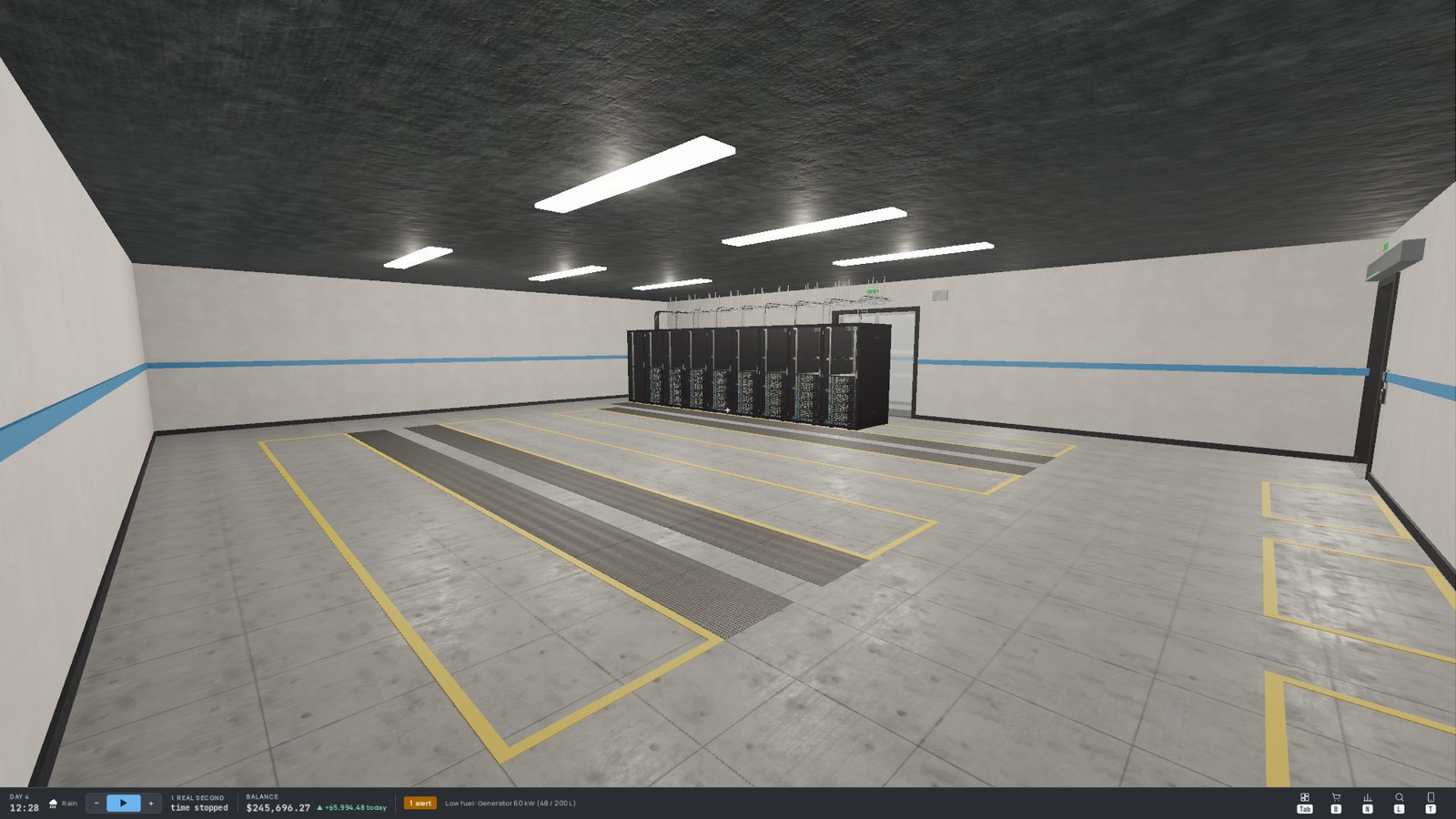
The building itself never changes, but it offers predefined spots for everything you install: rack slots marked in yellow on the server-room floors, cooling unit slots, battery and transformer slots in the electrical room, generator slots outside, shelves in the storage room…
                                  N ^
┌───────────┬────────────────────────────┬────────────────────────────┐
│           │                            │                            │
│ Generator │       SERVER ROOM A        │       SERVER ROOM B        │
│    yard   │  (operator rack + uplink)  │                            │
│ (outside) │                            │                            │
│           ├────────────────────────────┴────────────────────────────┤
│           │                    Technical corridor                   │
│           ├────────────┬───────────┬────────┬─────────────┬─────────┤
│           │ Electrical │  Cooling  │  Hall  │   Loading   │ Storage │
│           │    room    │    room   │        │     dock    │   room  │
└───────────┴────────────┴───────────┴────────┴─────────────┴─────────┘
                                      entrance    garage
                              (you start outside, here)
A simplified map of the building (not to scale).
| Room | What happens there |
|---|---|
| 🗄️ Server rooms A and B | Your racks, in rows facing each other (cold aisles in front, hot aisles behind). Room A holds the operator rack with the Internet uplink. |
| ⚡ Electrical room | The utility power feed, transformers and backup batteries. See Electricity and Backup Power. |
| ❄️ Cooling room | The cooling units that keep your server rooms cool. See Heat and Cooling. |
| 📦 Loading dock | The delivery zone, the cart and the dumpster. |
| 🗃️ Storage room | Shelves for spare parts and fuel jerrycans. |
| ⛽ Generator yard | Outside, against the west wall: room for backup generators. |
¶ 🛒 The shop
Open the shop with B. Choose a quantity with − / +, then Order. The amount is charged immediately (an order you can't afford is refused) and each product has its own delivery time.
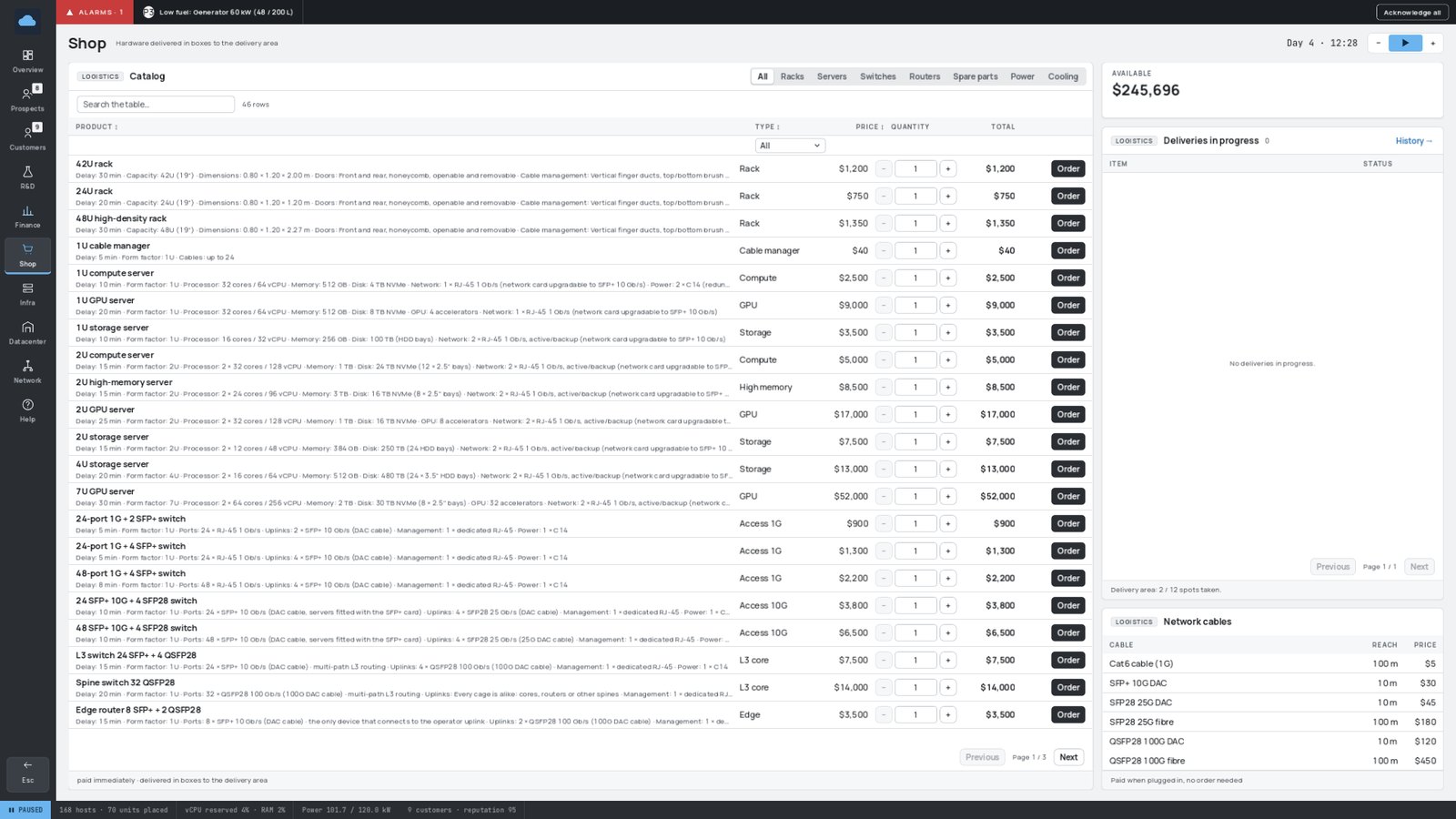
| Section | What you'll find |
|---|---|
| 🗄️ Racks | Racks of different heights, and cable managers |
| 🖥️ Servers | Compute, GPU and storage servers, in several sizes |
| 🔀 Switches | From simple copper switches to fast multipath network cores |
| 📡 Routers | The devices that connect your network to the Internet |
| 🧩 Spare parts | Replacement disks and memory, network cards for servers |
| ⚡ Power | Transformers, batteries, generators, fuel, solar panels |
Some products are greyed out until you unlock them through Research and Development or, in Story Mode, until the story gets there.
¶ Choosing your hardware 🧠
| Family | Good at | Think about it when… |
|---|---|---|
| Compute servers (1U, 2U) | General-purpose workloads | You sell virtual machines, databases, Kubernetes |
| GPU servers (small and huge) | Heavy computation | Customers ask for GPU VMs — but they run hot 🔥 |
| Storage servers (1U, 4U) | Huge amounts of disk, little CPU | You sell object storage (S3) |
| 2U and storage servers | Two network ports | You want redundancy (plug each port into a different switch) |
| Bigger racks | More Us on the same floor space | Floor space gets scarce |
Bigger, denser hardware is usually cheaper per unit of capacity (per U, per TB, per GPU), but it's a bigger upfront investment and concentrates more customers on a single machine.
¶ 📦 Deliveries
Orders arrive as cardboard boxes, one per item, in the delivery zone of the loading dock.
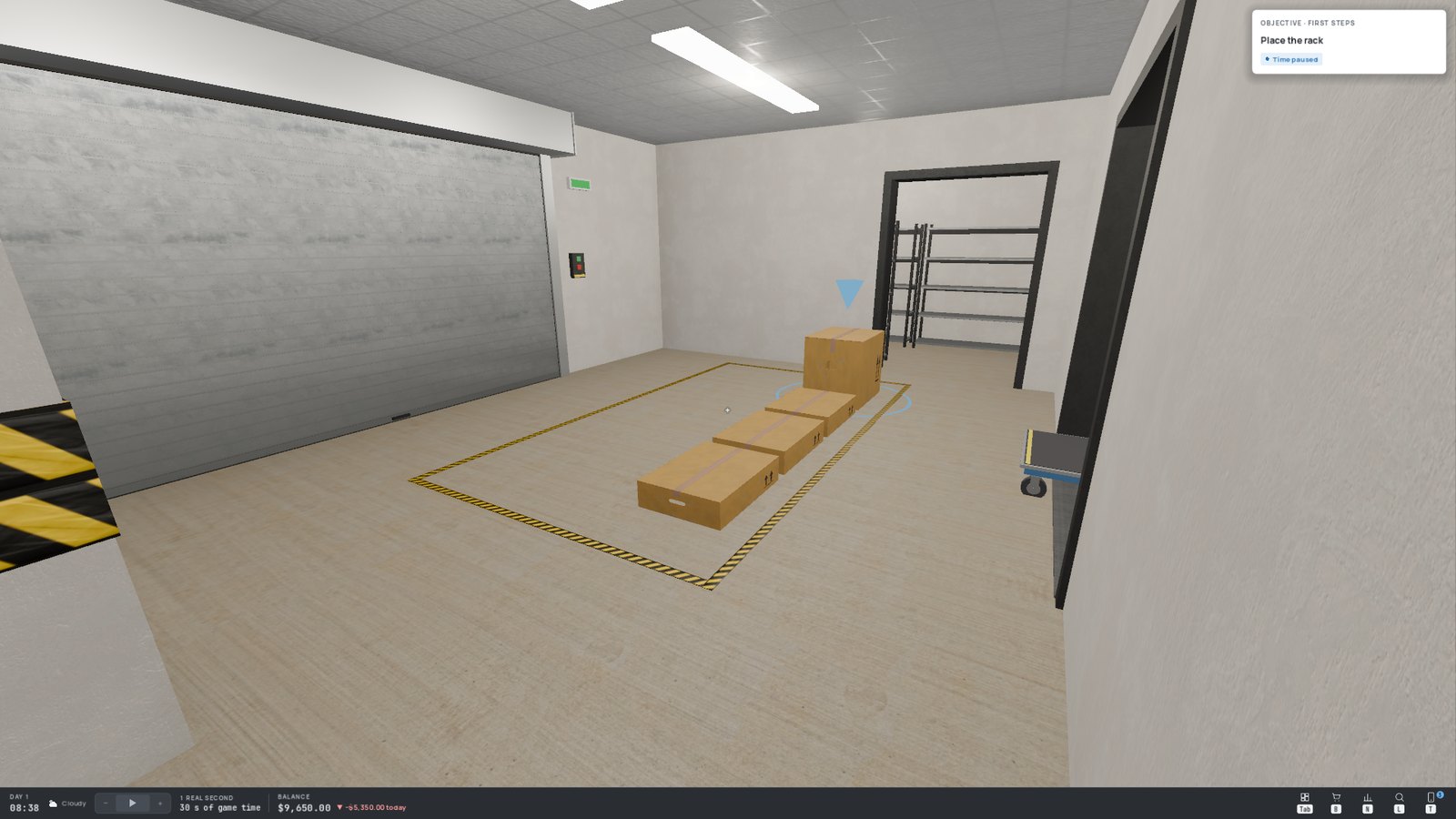
- Pick up a box with E; you carry one at a time.
- Put it down with Q anywhere on the floor: a ghost box shows where it will land (green if possible, red if not).
- The delivery zone has a limited number of spots. When it's full, new deliveries wait ("Zone full") until you make room — even urgent ones!
- Stack boxes: look at a box on the floor and press Q to put yours on top. A box only sits on a box at least as large, and piles have a maximum height.
- The box size depends on its content: tiny for a spare part, tall for a big server, huge for a rack (delivered as a kit).
¶ 🛒 The cart
The cart, parked near the delivery zone, carries several boxes at once:
- With a box in hand, look at the cart and press Q to load it.
- With empty hands, look at the cart and press E to push it. The heavier it is, the slower you go.
- Press Q to let go of it, then unload the boxes one by one with E.
Pushing the cart takes both hands: no box, no cable. A cart you let go of is an obstacle — walk around it.
¶ 🗃️ The storage room
Small boxes (spare parts, fuel jerrycans) can be put away on the shelves of the storage room, at the end of the loading dock: with the box in hand, look at a shelf and press Q.
Order in small batches and clear the delivery zone as you go: a full zone also blocks your urgent deliveries.
¶ 🗄️ Racks
A rack can only stand on a rack slot. Racks come in several heights: half-height racks are the cheapest to buy but the most expensive per U, tall racks give you a few extra Us on the same floor space.
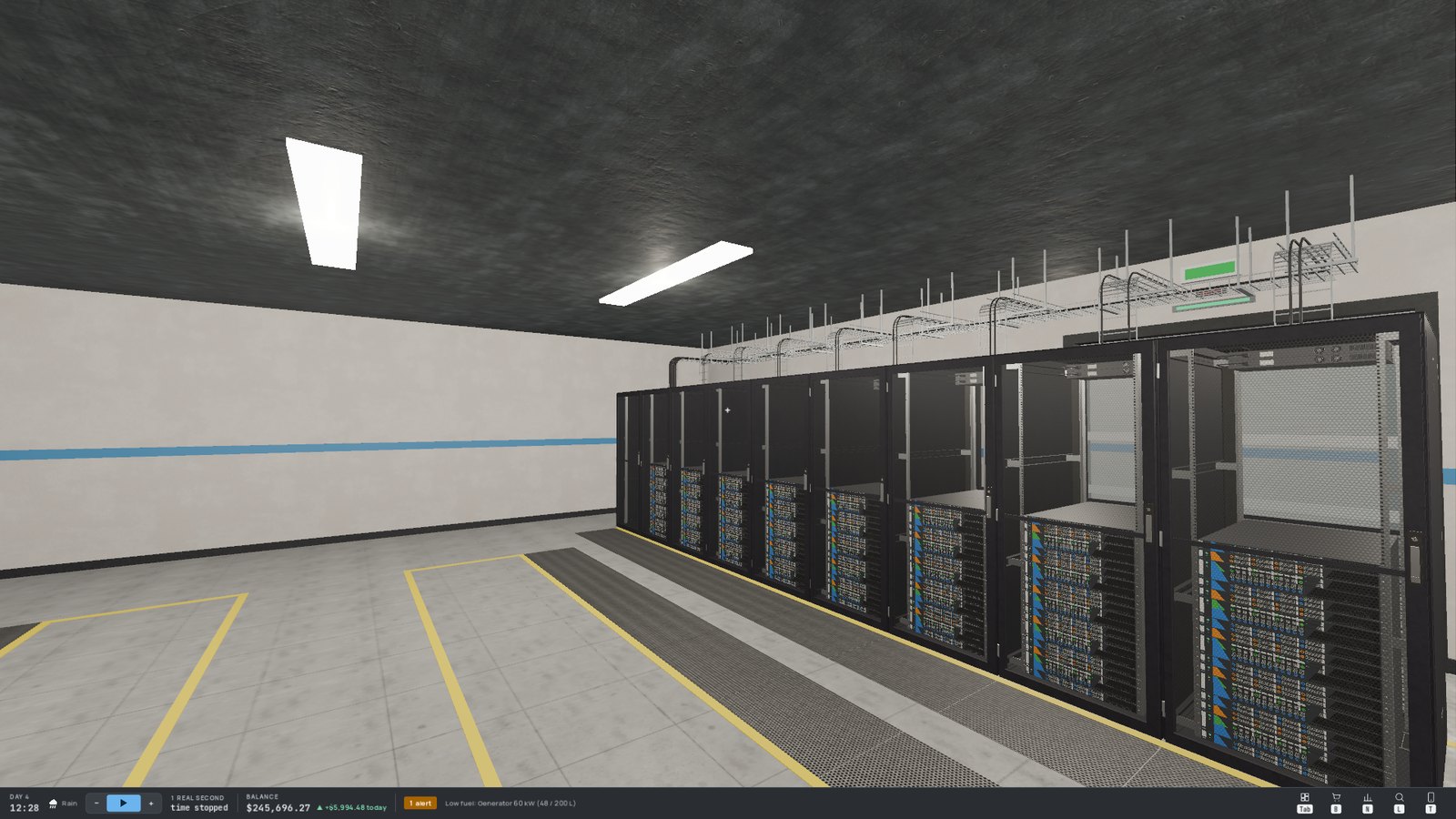
Each rack has a front and a back door:
- F opens or closes the door you look at — an open door sticks out and blocks the aisle like a wall;
- G removes or refits it.
¶ 🖥️ Mounting devices
With a device's box in hand, look at a rack: the action card shows the U where it will be mounted. A 2U device takes two units.
- Servers go at the front.
- Switches and routers go at the back, where the servers' network ports are.
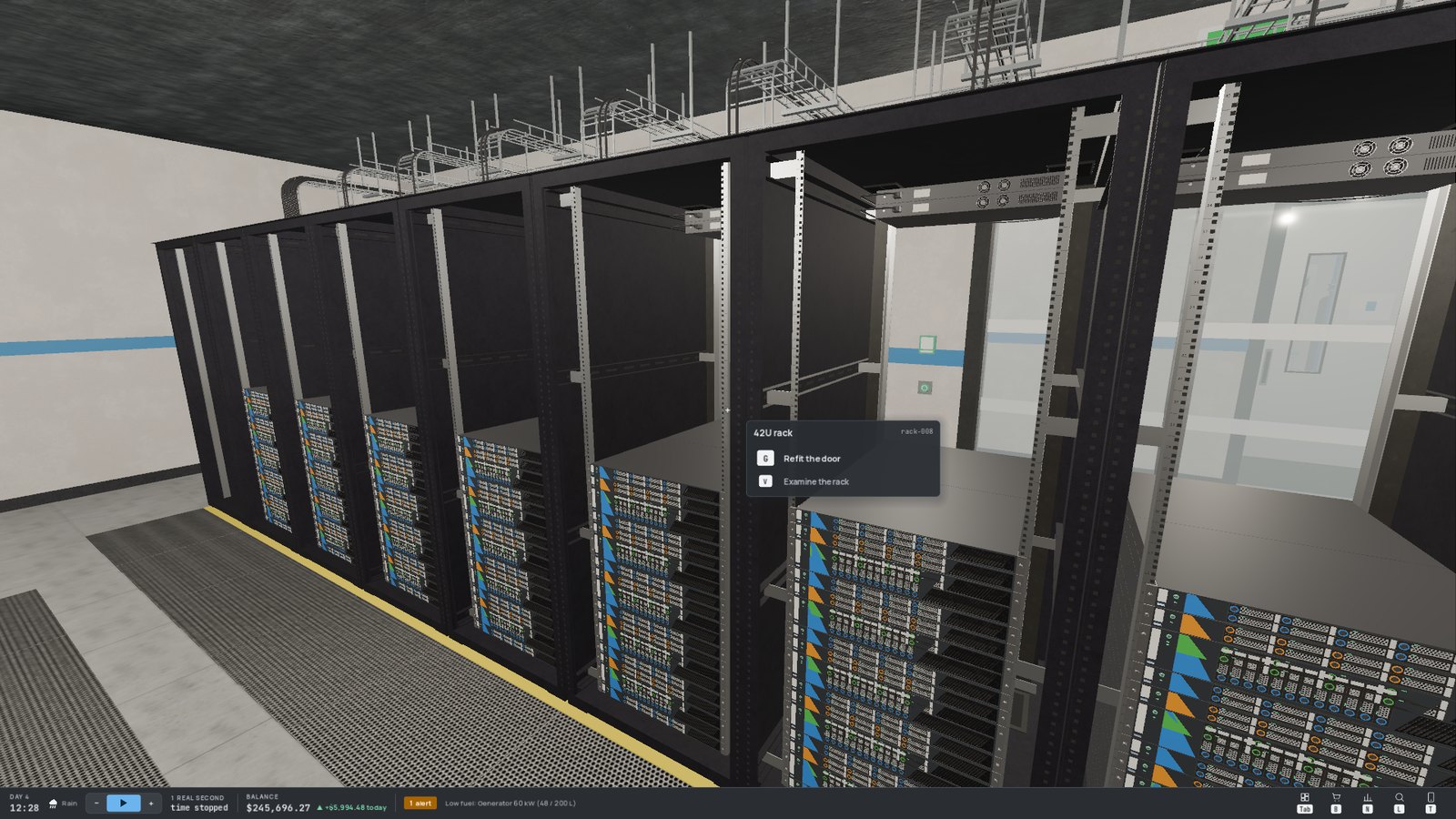
Once powered, a server spins its fans (faster as it heats up) and its activity LED flickers more as it works harder. 💡
¶ ↩️ Removing equipment
Look at the device and press R: it comes back into your hands, boxed. But first:
- unplug all its power cords and network cables;
- a failed device must be repaired before you can remove it;
- a rack can only be removed when it is empty, with its doors in place;
- the operator rack and uplink belong to the building: they can't be removed.
A device only costs electricity while powered. Unplug what you don't use!
¶ ♻️ Reselling equipment
Hardware you no longer need can be sold back by throwing it into the dumpster of the loading dock. The supplier buys it back at a fraction of its original price, new or used. Carry the item to the dumpster, look at it and press Q: the action card shows the amount, and you confirm.