Every watt your servers consume ends up as heat in the room. If you don't remove it, the room heats up, servers slow down… and eventually start to break. 🥵
¶ 🔁 The heat chain

- The harder a server works, the more heat it gives off. GPU servers run much hotter than the others.
- Your cooling units remove heat, up to their capacity, and draw electricity to do it.
- Each server room has its own temperature.
¶ 🌡️ Temperature thresholds
As long as a room's heat stays below the cooling it receives, the room stays comfortably cool. Beyond that, the temperature climbs fast.
| Room temperature | State | Effect |
|---|---|---|
| 🟢 Below ~34 °C | Normal | Servers run at full power |
| 🟠 From ~35 °C | Throttling | Servers are slowed down (down to half their CPU) — their units may become degraded |
| 🔴 From ~45 °C | Critical | Server components start to fail, more often the hotter it gets |
Each server also shows its own temperature on its management page (its room's temperature plus its own heat). It's a useful hint, but only the room temperature slows servers down.
¶ 🏭 Cooling units
Cooling units are installed in the cooling room, which has three slots. Their capacities add up into a cooling plant shared by both server rooms: a room alone in producing heat can use the whole plant; when both rooms are hot, each gets a fair share plus whatever the other doesn't need.
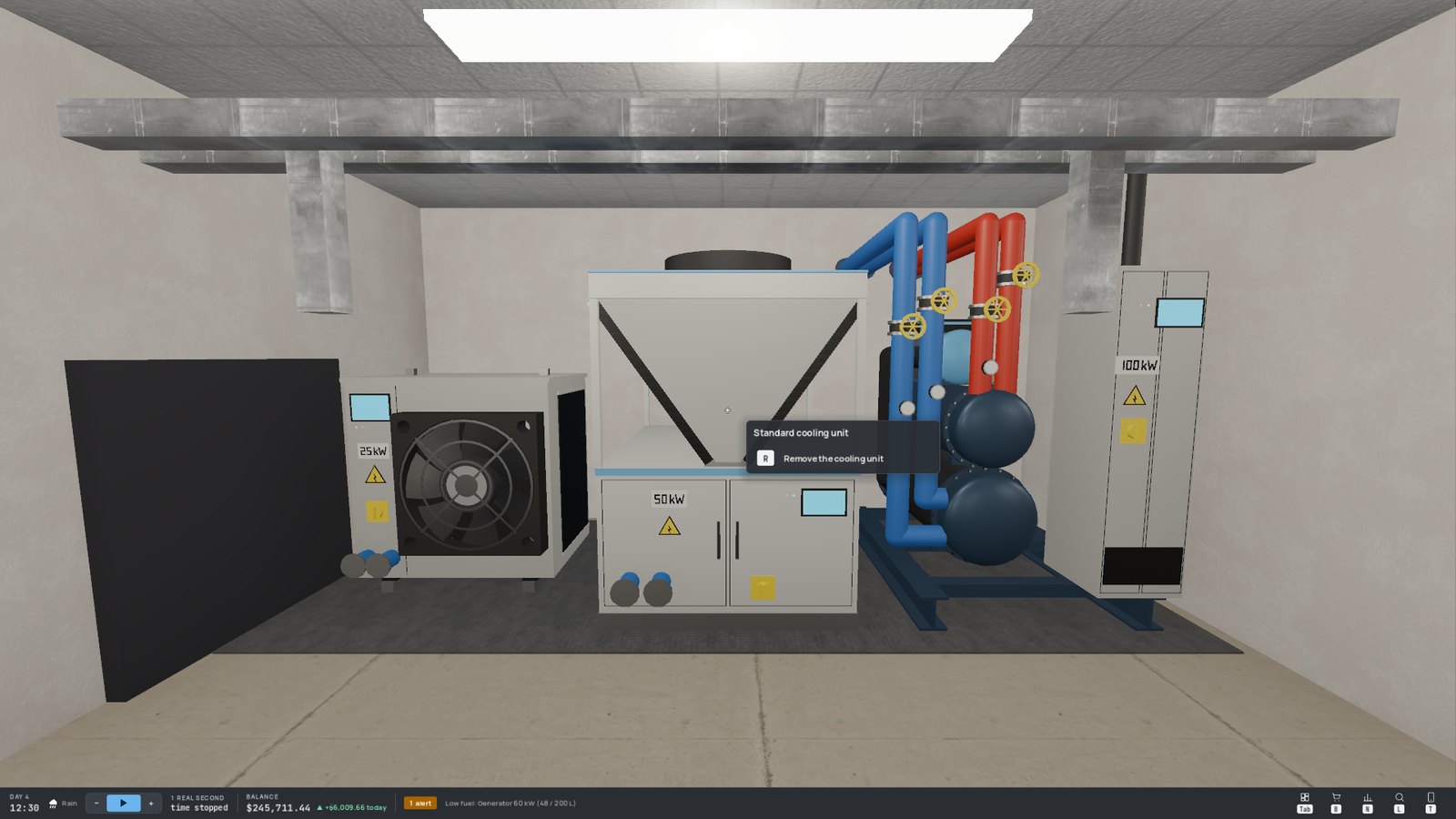
| Unit | Cooling | Efficiency | Price | Notes |
|---|---|---|---|---|
| 🌬️ Basic (air) | ❄️ | ⭐ | 💲 | Enough to get started |
| 🌬️ Standard (air) | ❄️❄️ | ⭐⭐ | 💲💲 | The workhorse |
| 💧 High-performance (liquid) | ❄️❄️❄️❄️ | ⭐⭐⭐ | 💲💲💲💲 | The only liquid unit — the answer to GPUs |
Efficiency (the COP, coefficient of performance) is the amount of heat removed per unit of electricity drawn: an efficiency of 3 means 1 kW of electricity removes 3 kW of heat. Better units cool more and cost less to run. The most efficient units always work first.
¶ 🎮 The GPU problem
GPU servers give off a lot of heat. When a large share of a room's heat comes from GPUs, air units lose part of their capacity in that room. Liquid units are not affected. The Cooling view tells you each room's GPU share as soon as it costs you cooling.
¶ 🔧 Upgrading the plant
To upgrade, remove a unit (R — it comes back as a box) and install a better one in its slot. In a free game you start with a basic unit in every slot; in Story Mode there is no cooling at all at the start, and you will buy your first unit yourself when Victor brings it up.
¶ 🛡️ Redundancy (N+1)
Cooling units can fail too (less often for higher-end models). A failed unit cools nothing until it's repaired — repairs are ordered from the Cooling view.
Your plant is redundant when it can remove all the heat even without its biggest unit. If not, the Cooling view names the unit whose failure would overheat a room.
Always plan one unit more than you need. Enterprise customers expect it.
¶ 📊 The Cooling view
Everything is on the Cooling view of the console's Infrastructure page, with a colour code: 🩷 pink for heat, 🩵 teal for cooling, 💜 purple for electricity.
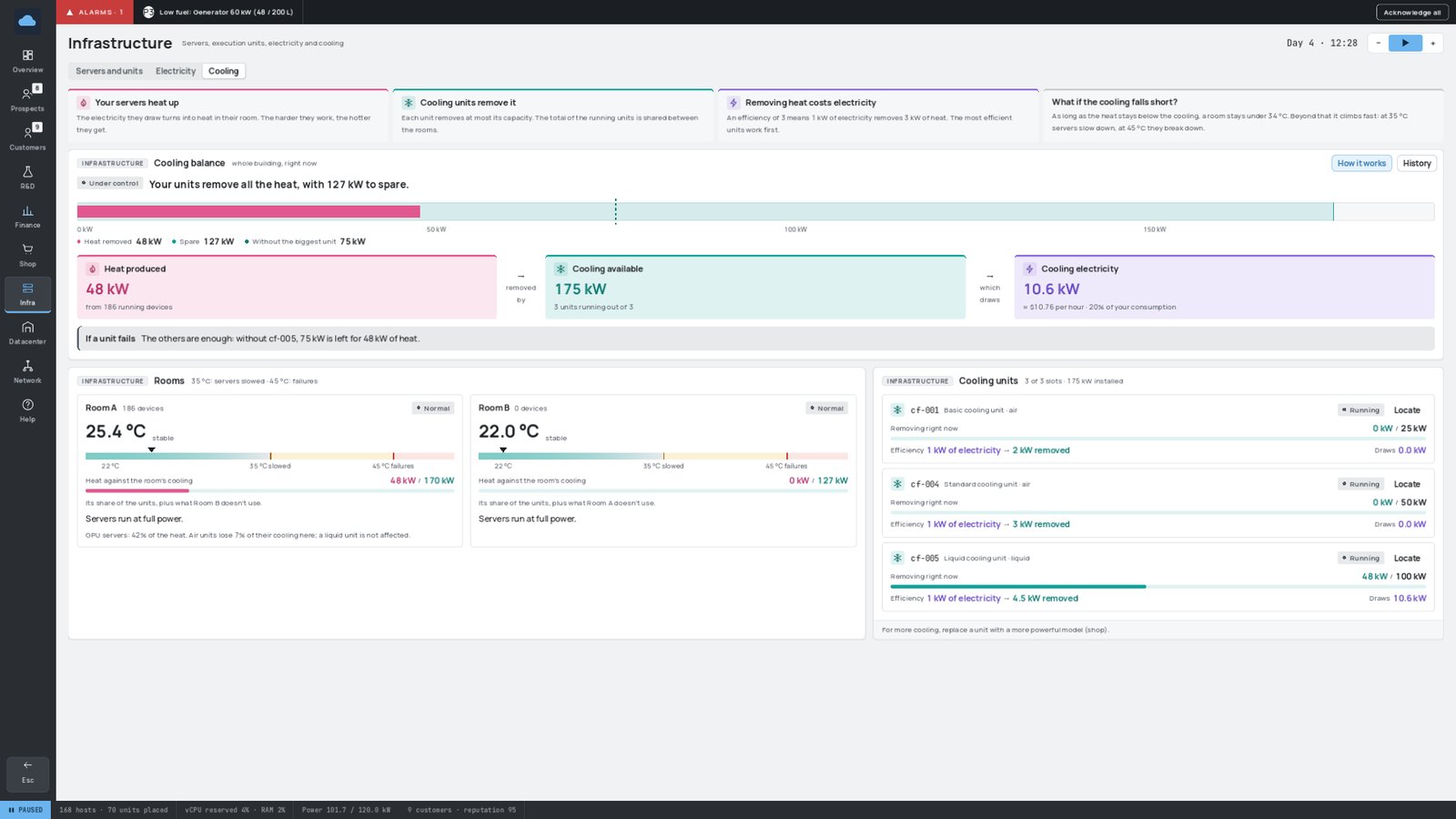
- Cooling balance: one sentence that tells you whether all is well, and a gauge of the heat produced against the cooling available (with the spare, and what would be left without the biggest unit).
- Rooms: each room's temperature on the threshold scale, where it's heading, and what it means for its servers.
- Cooling units: what each one removes and draws right now, its efficiency and its state.
- History: the temperature of the hottest room and the heat vs. cooling over 24 hours, 7 or 14 days.
¶ ☀️ Heat waves
During a heat wave, the outdoor temperature rises for a few hours and every room starts from a hotter base. Rooms whose cooling was already tight cross the throttling threshold — sometimes the critical one. The heat wave ends on its own.
To get through it: keep a cooling margin, power off non-essential equipment, move workloads away from the hottest room.
Cooling electricity is billed under Cooling in your finances, at the same hourly price as the rest of your electricity. See Electricity and Backup Power.