Hardware doesn't last forever. Servers, their disks and memory, switches, routers, ports, cables and cooling units all fail eventually, at random — and only while in use. Your job is to limit the damage and repair fast. 🧯
¶ 💥 What happens when something breaks
| What fails | Consequence |
|---|---|
| 🖥️ A whole server | It hosts nothing anymore. Its units restart at once on other servers if there is room; otherwise they stay unavailable. Its power LED blinks red. |
| 💾 A disk or RAM module | The server keeps running but loses that part of its capacity (a server with 4 disks loses a quarter of its storage). Units that no longer fit move elsewhere as soon as there is room. Its status LED turns amber. |
| 🔀 A switch, router, port or cable | Traffic is rerouted if another path exists. Otherwise, the units depending on it are disconnected. |
| ❄️ A cooling unit | It stops cooling until repaired. See Heat and Cooling. |
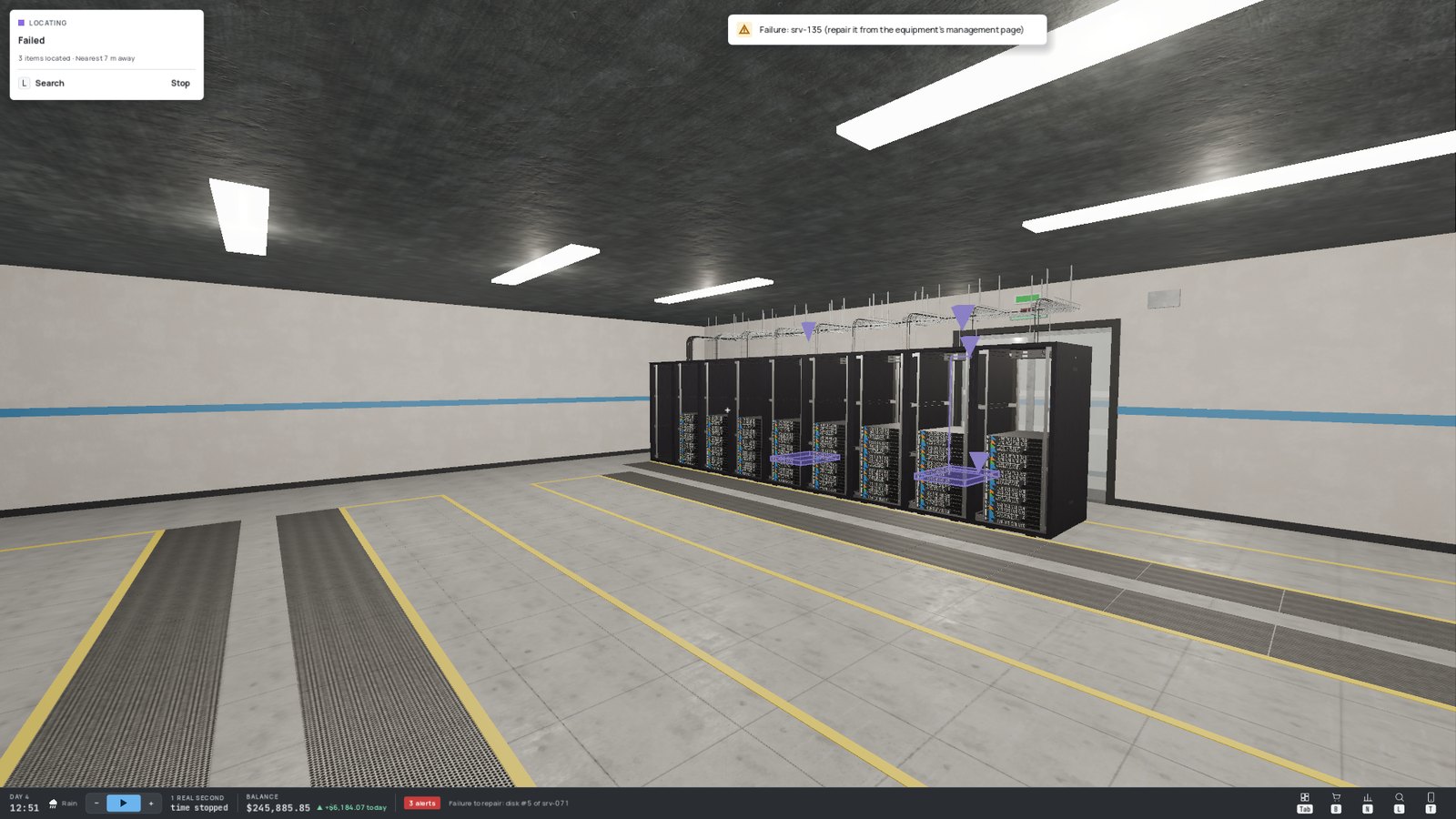
A new failure raises an alert, and the Network page counts the ongoing ones. Use search (L) with the Failed filter and Locate all to find them in the building:
¶ 🔧 Repairing
Open the device's management page (look at its management port, E). The Failures card lists everything broken on it — including its ports and cables — with a Repair button.


| Failure | Cost | Waiting time |
|---|---|---|
| 🧵 Cable | Cheap | Short |
| 🔌 Port | Moderate | Short |
| 🖥️ Device | A share of its purchase price | Longer |
| 💾 Disk / 🧮 RAM | One spare part (no technician!) | Short, once the part is in place |
A failed cable can also simply be unplugged and replaced with a new one, without waiting for anyone.
¶ 🧩 Spare parts
Disks and RAM modules are replaced with spare parts, sold in the Spare parts section of the shop and delivered in small boxes.
- 🔍 Spot the faulty server: steady amber status LED, blinking disk-bay LEDs for a failed disk. Its Failures card names the faulty component.
- 📦 Pick up a spare part box (from the delivery zone, the floor or a storage-room shelf).
- 🖥️ Carry it to the server, look at it in its rack and press E: the failed component is replaced.
No part in stock? The Order a part button of the Failures card orders one — but then you wait for the delivery while the server limps along.
Keep a few spare parts on the shelves of the storage room. A degraded server stays degraded for as long as the part takes to arrive.
¶ 🛡️ Living with failures
- 💵 Keep cash in reserve: a failed server costs its repair and its customers' penalties.
- 🔁 Spread customers across servers — the game does it automatically when it places units.
- 🧱 Remove single points of failure for demanding customers (see Networking).
- 📦 Keep spare capacity: when a server dies, its units need somewhere to restart.
- 🌡️ Keep your rooms cool: overheated rooms make components fail much more often (see Heat and Cooling).