The administration console (Tab) is your company's control center. Everything you can't do with your hands — signing customers, watching the load, choosing an electricity supplier, launching research — happens here.
Time keeps running while the console is open (unless you opened it from the pause menu). Keep an eye on the speed indicator!
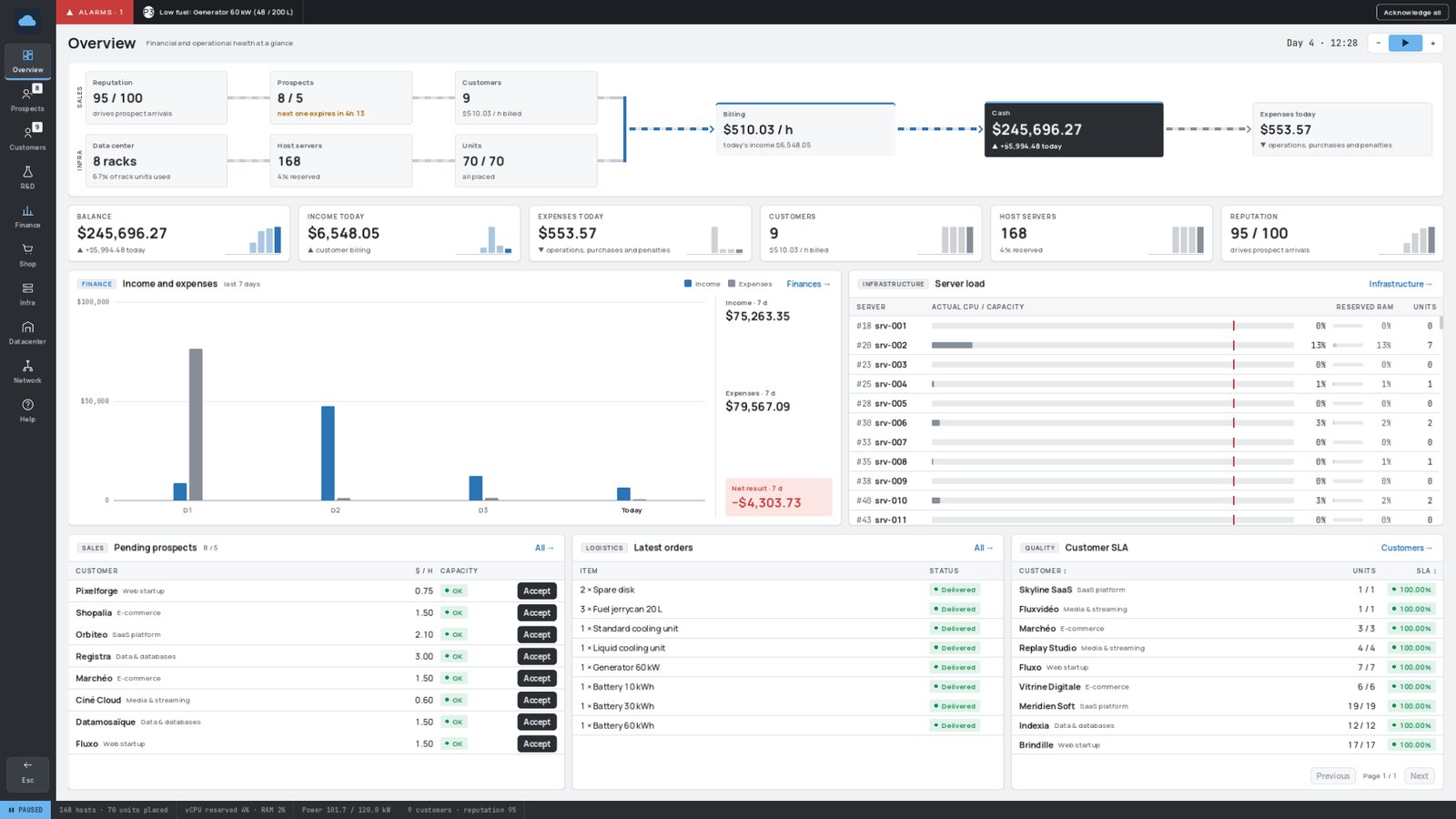
¶ 🧩 Anatomy of the console
| Area | What it shows |
|---|---|
| ◀️ Rail (left) | One icon per page, with counters (waiting prospects, customers, undelivered orders…). A red ! flags a problem; details on hover. |
| 🚨 Alarm bar (top, only when needed) | Ongoing alerts sorted by priority: P1 already costs you money, P2 something is blocked, P3 an early warning. Acknowledge all hides them until a new one appears. |
| 🧭 Header | Page title, game date, game speed and the light / dark theme switch. |
| 📟 Status bar (bottom) | Speed, servers and units, reserved capacity, power, customers and reputation, saturations and failures, last save. |
Tables can be sorted by clicking a column header and filtered with their search box.
¶ 📑 The pages
| Page | What it is for | Learn more |
|---|---|---|
| 🏠 Overview | Your company at a glance: balance, income and expenses, prospects, server load, customer satisfaction | — |
| 🤝 Prospects | Potential customers to accept, negotiate or reject before they leave | Customers and Contracts |
| 👥 Customers | Running contracts, billing, measured SLA, contract end; terminating a customer | Customers and Contracts |
| 🔬 R&D | Research projects that unlock new cloud services and network hardware | Research and Development |
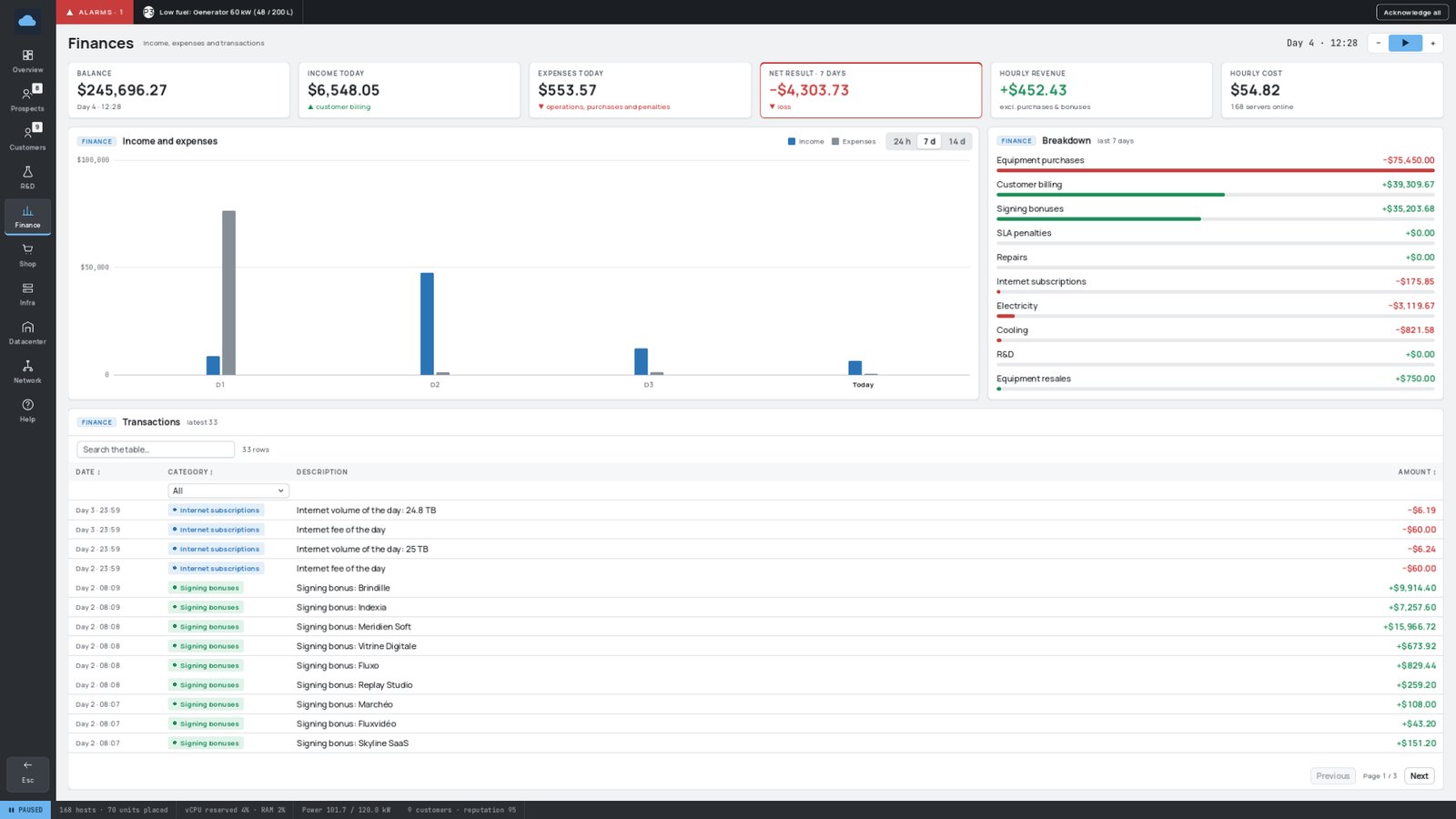
| 💰 Finances | Income, expenses by category, every transaction | Money and Finances |
| 🛒 Shop | Buy hardware, follow deliveries | Building Your Datacenter |
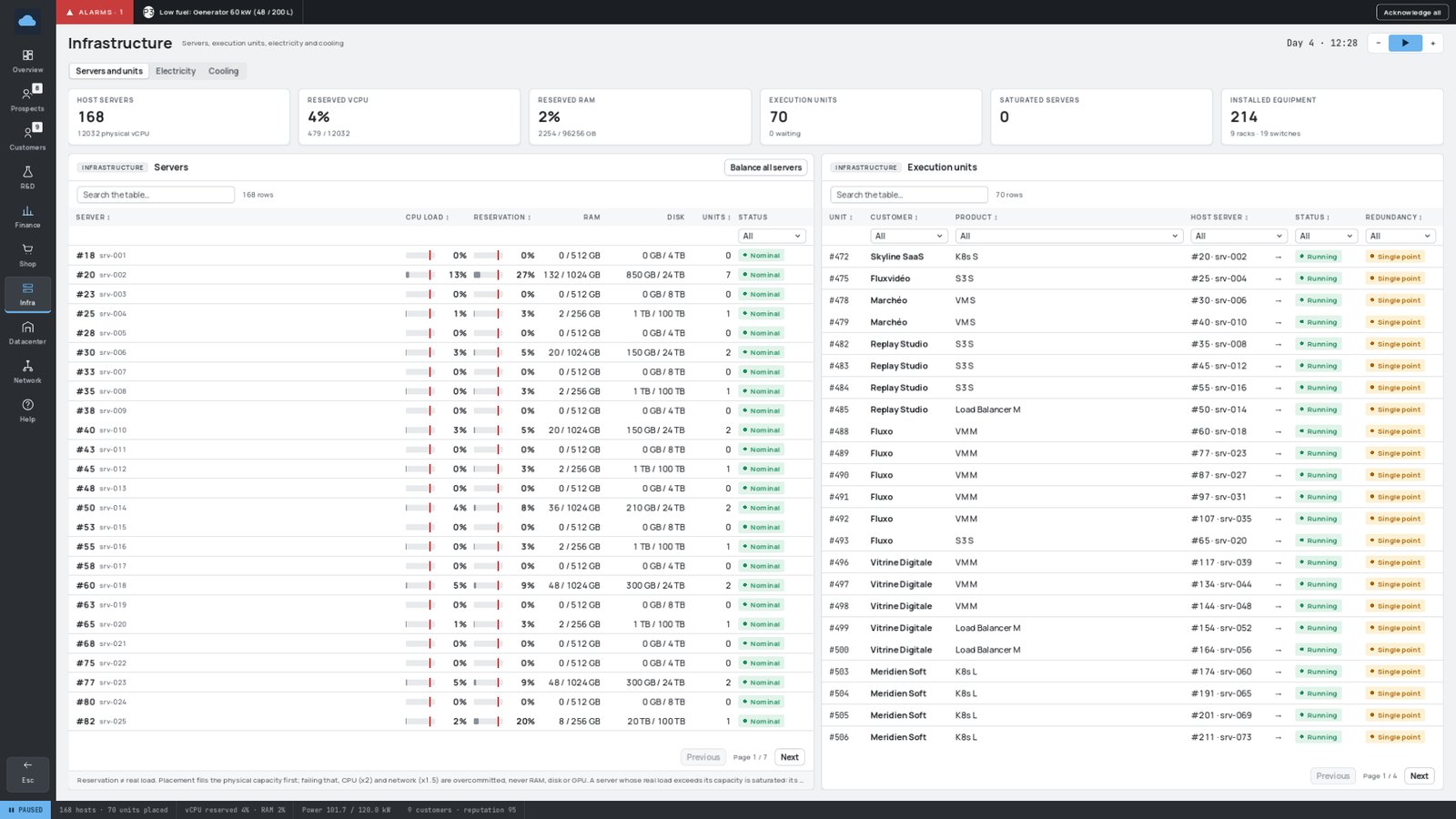
| 🧮 Infrastructure | Three views: Servers and units, Electricity, Cooling | Servers and Workloads, Electricity, Cooling |
| 🏢 Datacenter | Your racks seen from the front, plus trends over 24 h, 7 or 14 days | — |
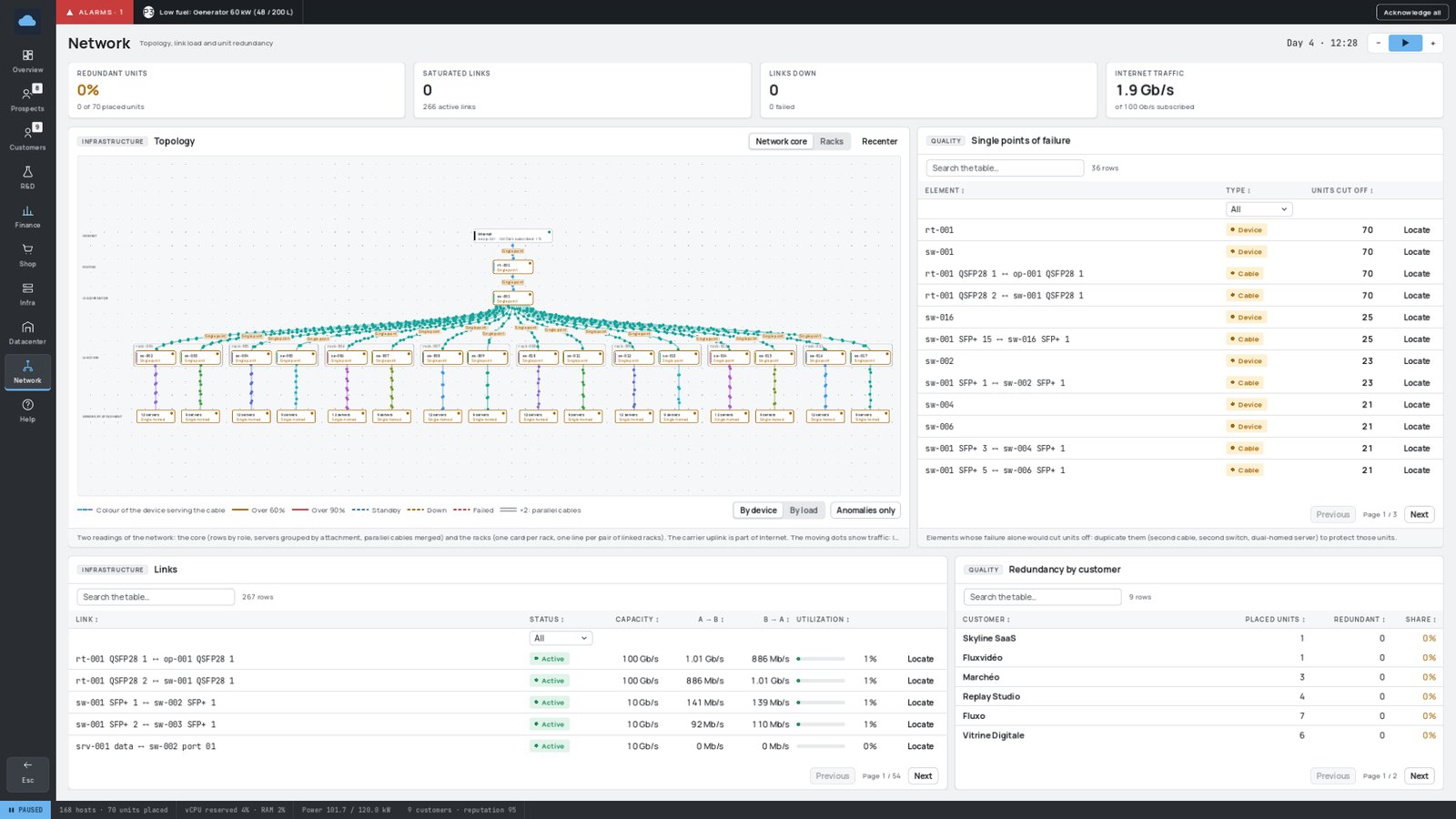
| 🌐 Network | Topology, link load, single points of failure, redundancy | Networking |
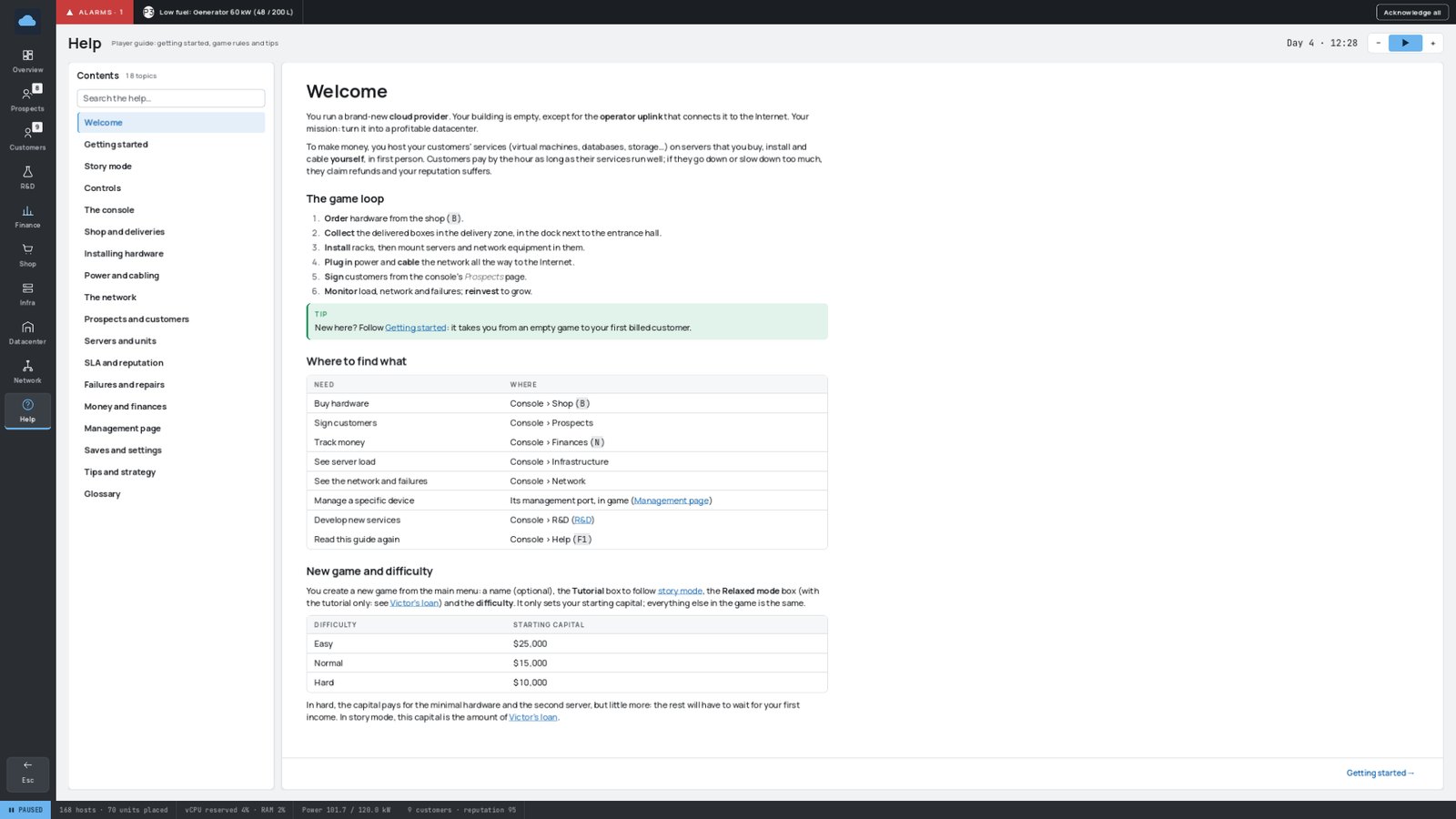
| ❓ Help | The complete in-game guide, always matching your version and your keys | — |
¶ 🖼️ A quick tour
🤝 Prospects — who wants to become your customer
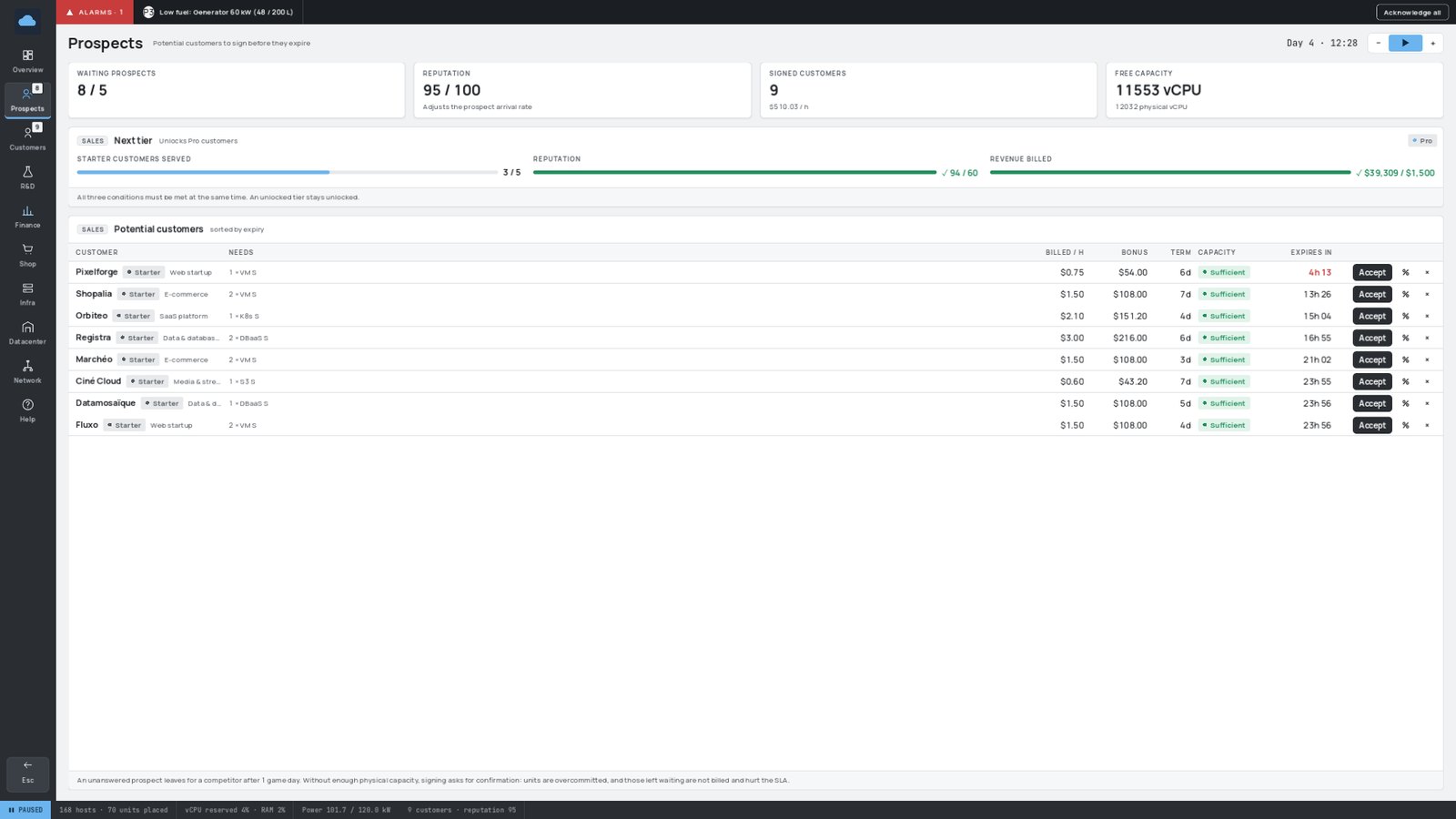
The Next tier card at the top shows your progress towards unlocking more demanding (and better paying) customers.
👥 Customers — who pays you, and are they happy?
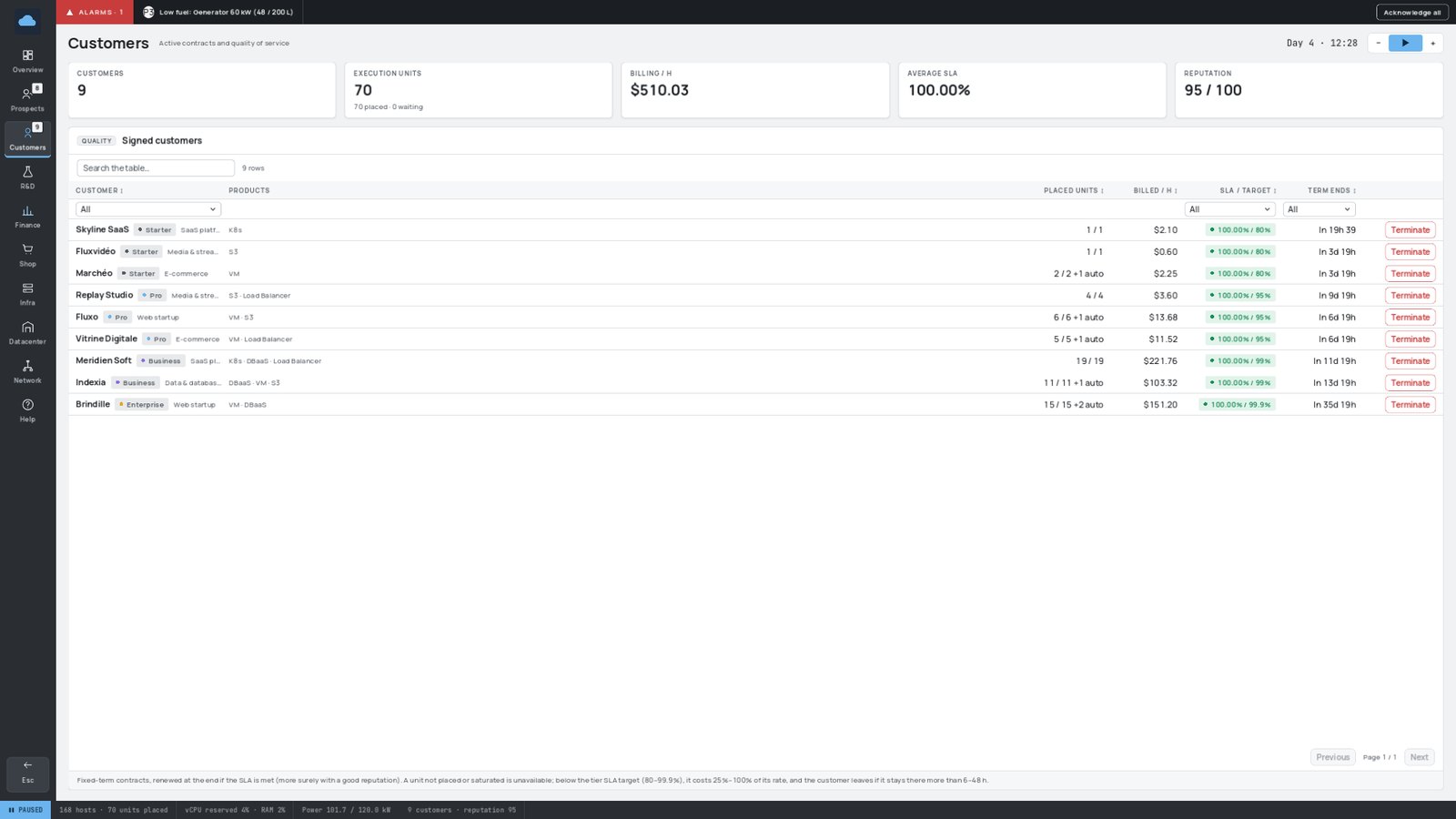
🧮 Infrastructure — servers, units, electricity, cooling
🏢 Datacenter — your racks and your trends
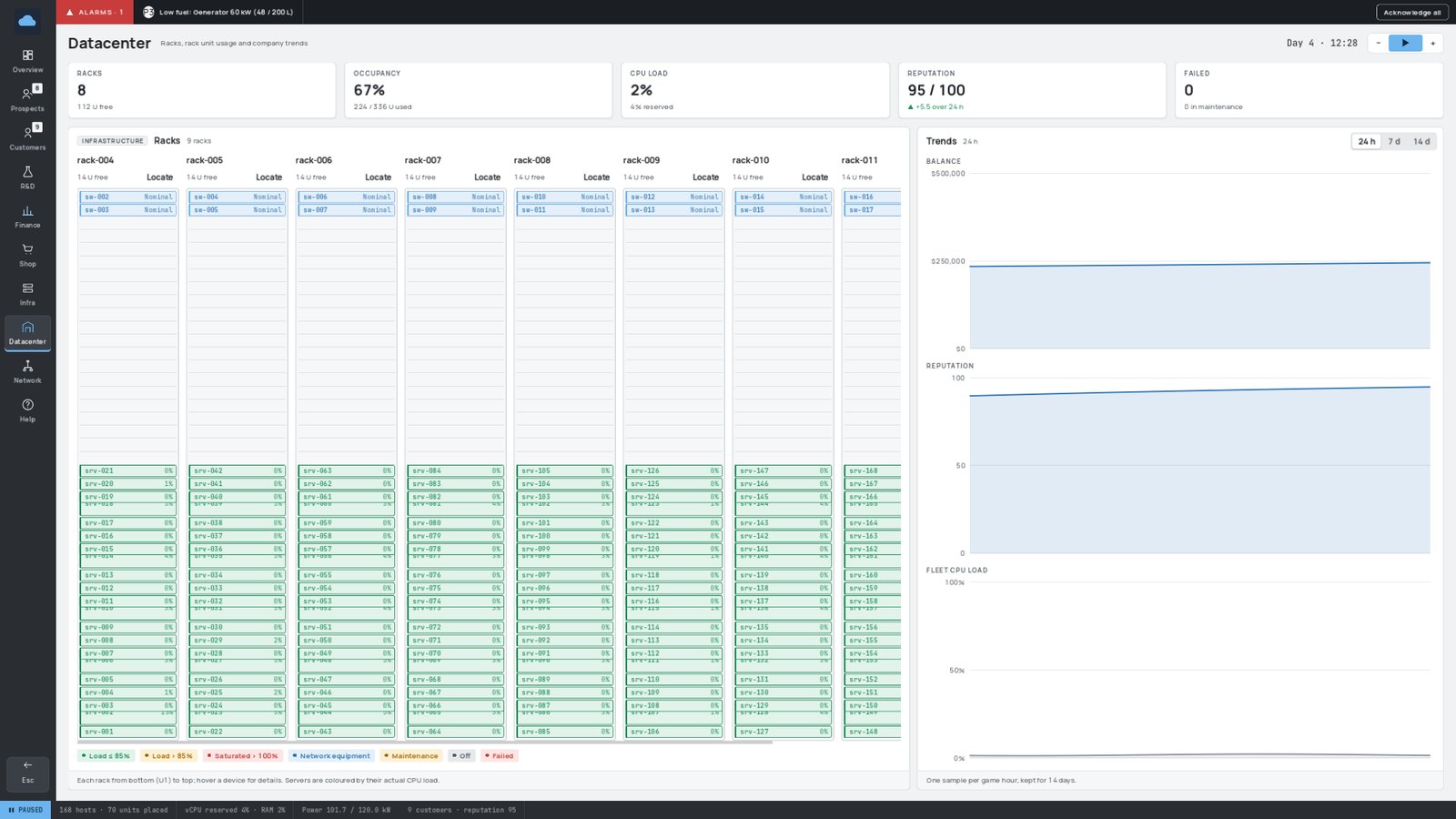
Each rack is drawn from the front: used units, the load and the state of every device. On the right, the evolution of your balance, reputation and load.
🌐 Network — topology and weak spots
💰 Finances — where the money comes from and where it goes
❓ Help — the full player guide, inside the game
¶ 🔧 Management pages
Every server, switch, router — and the operator uplink — has a management port (an RJ45 socket set apart from the others). Look at it and press E to open the device's management page. Time keeps running while you look at it.
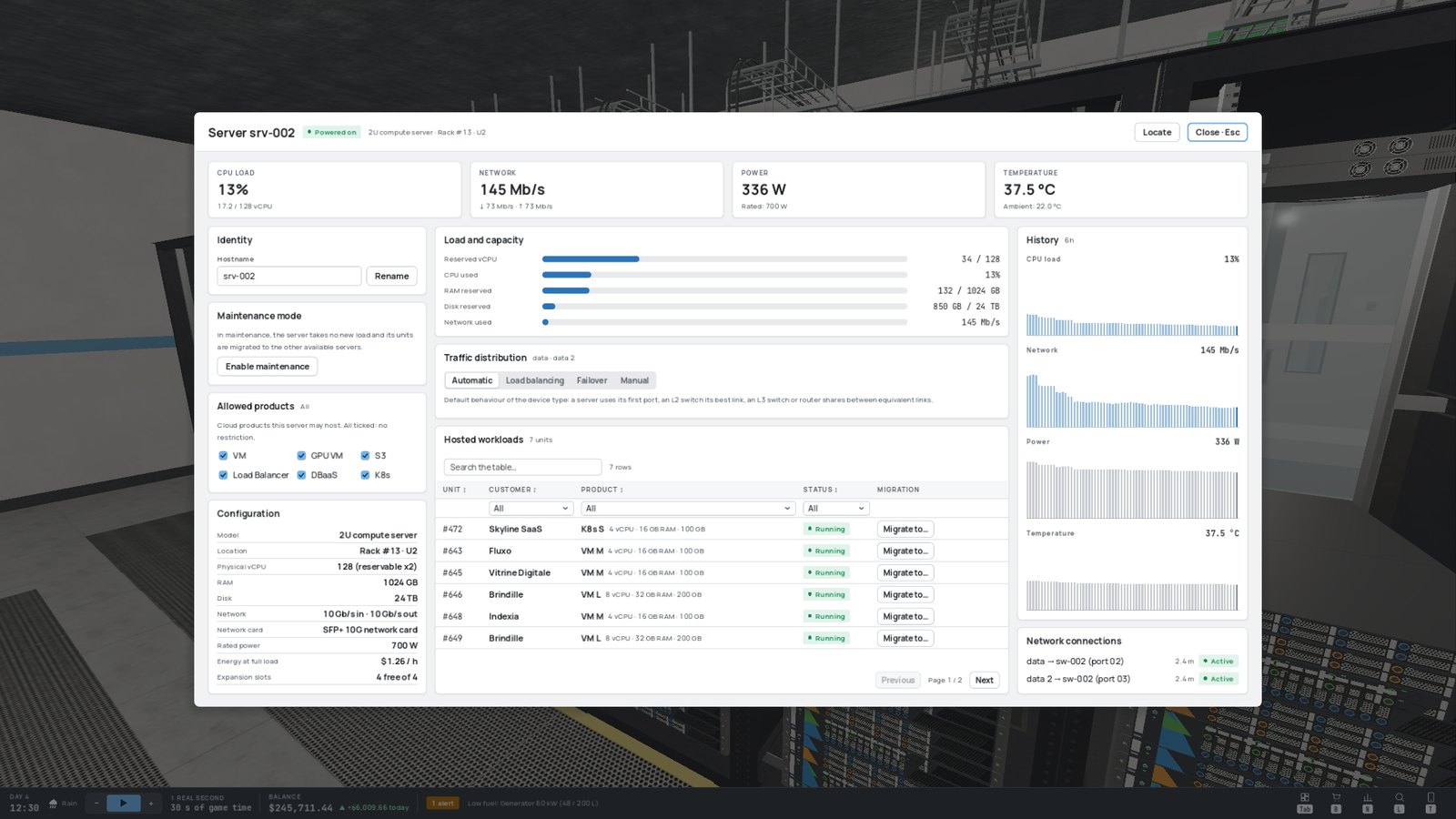
For a server, you can:
- 🏷️ rename it;
- 🧰 put it in maintenance mode (it empties itself onto the other servers and stops receiving work);
- 🎯 restrict the allowed products (for example, reserve a GPU server for GPU workloads);
- 📊 read its load, power draw, temperature and history;
- 🔀 choose how its traffic is spread over its network links;
- 🚚 move a hosted workload to another server.
For a switch, a router or the operator uplink: the state and load of every port, traffic distribution, and — for the operator uplink — your Internet subscription.
When part of a device has failed, a Failures card appears at the top, with the Repair button. See Failures and Repairs.
¶ 🔔 Alerts outside the console
You don't need to keep the console open to stay informed:
- toasts pop up at the top of the screen for important events (delivery arrived, failure, outage…);
- the bottom bar permanently shows the number of ongoing alerts and the most urgent one, coloured by severity.